Infinity Web Client
Your Whole Communication System, in One Window
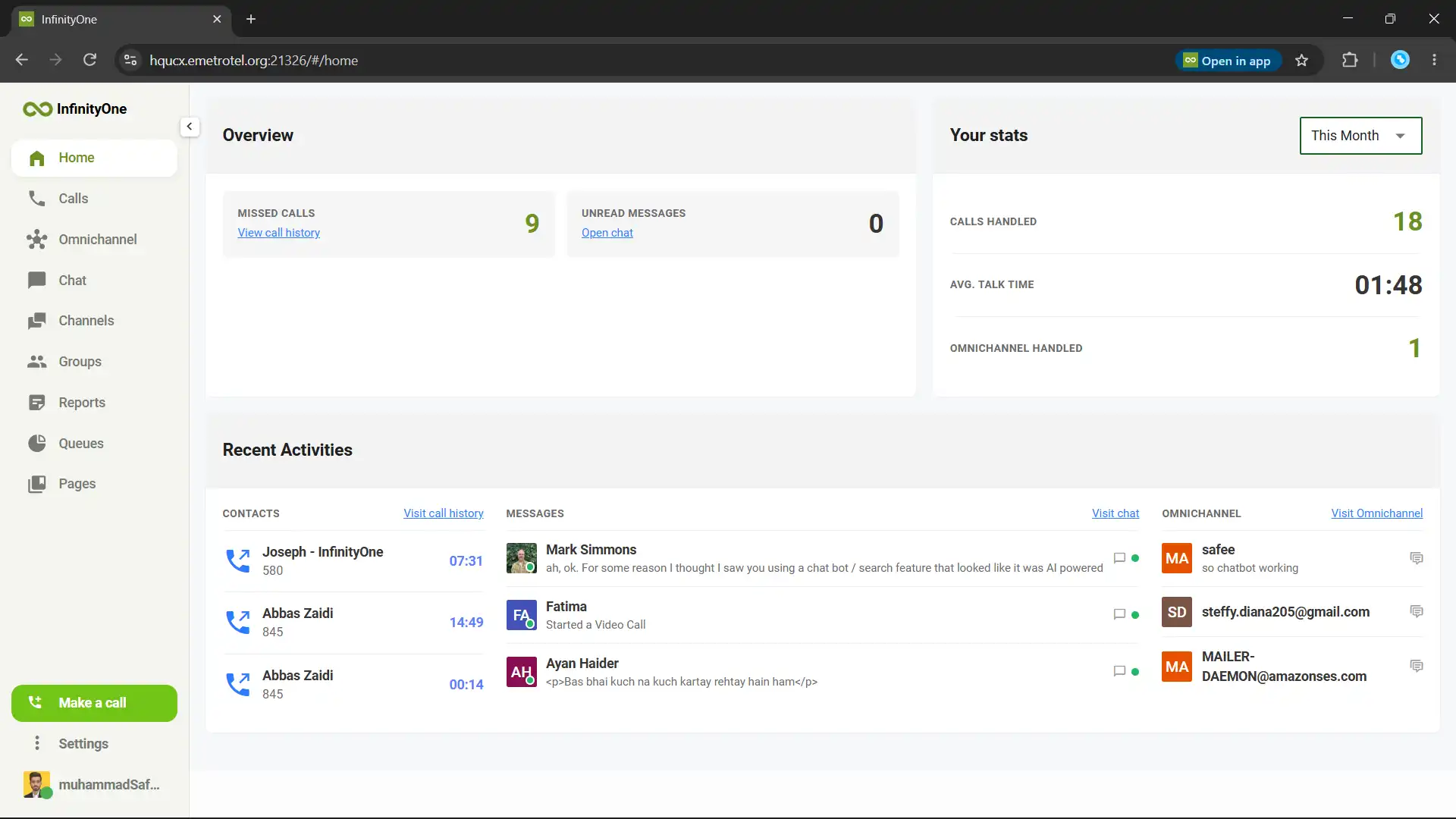
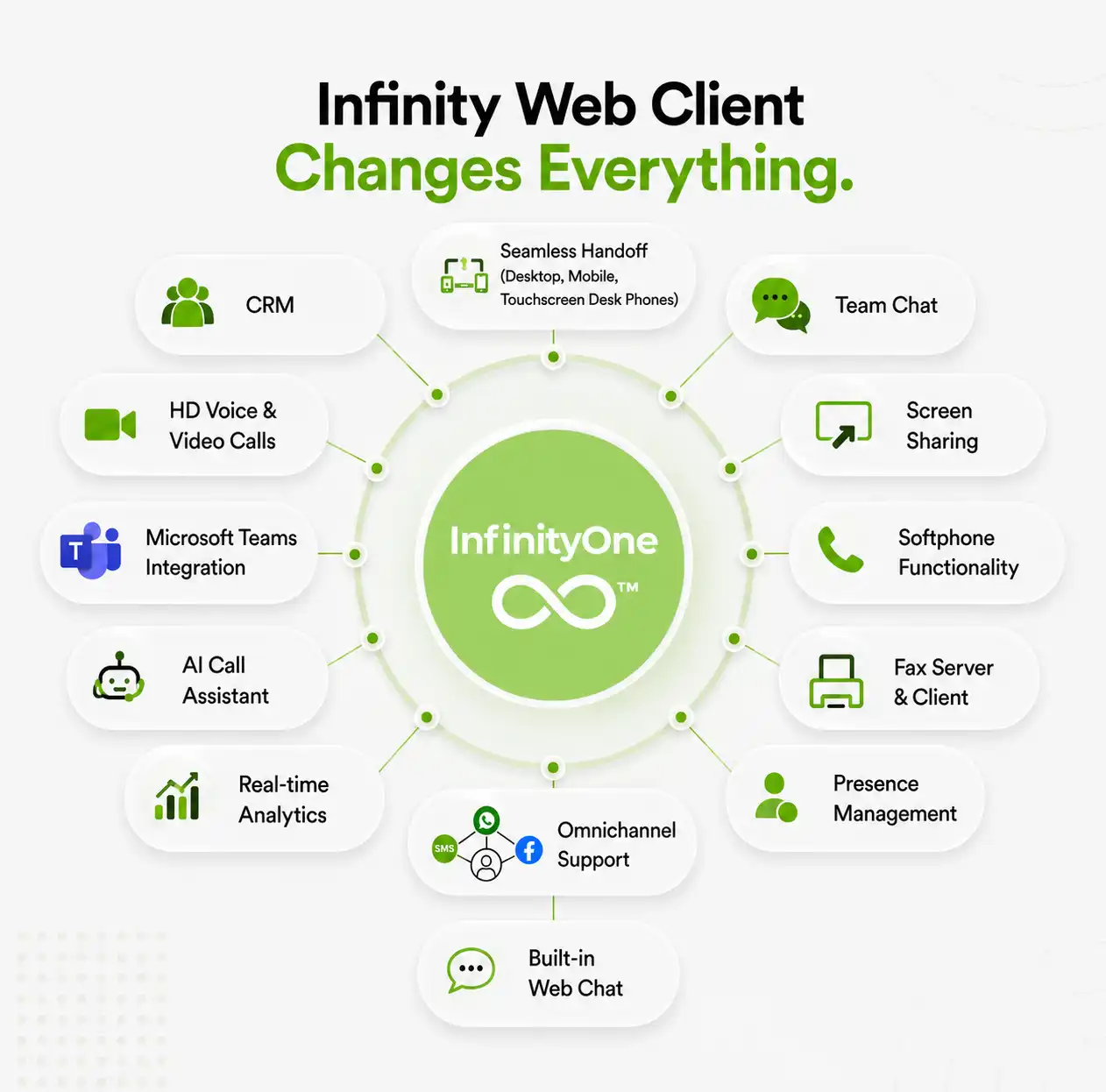
Infinity Web Client is E-MetroTel’s all-in-one communication app that runs in your browser with no software to install. It combines voice calling, team messaging, group chat, file sharing, video conferencing, presence, and a full omnichannel contact center in a single window so your team works from one place instead of juggling separate tools. It connects to your E-MetroTel UCX phone system, works alongside Microsoft Teams, includes AI call analysis and built-in fax, and keeps all conversations and data inside your own secure environment.
- Calling from your browser
- Chat and team collaboration
- Omnichannel contact center
- Built-in call center tools
- Integrated fax service
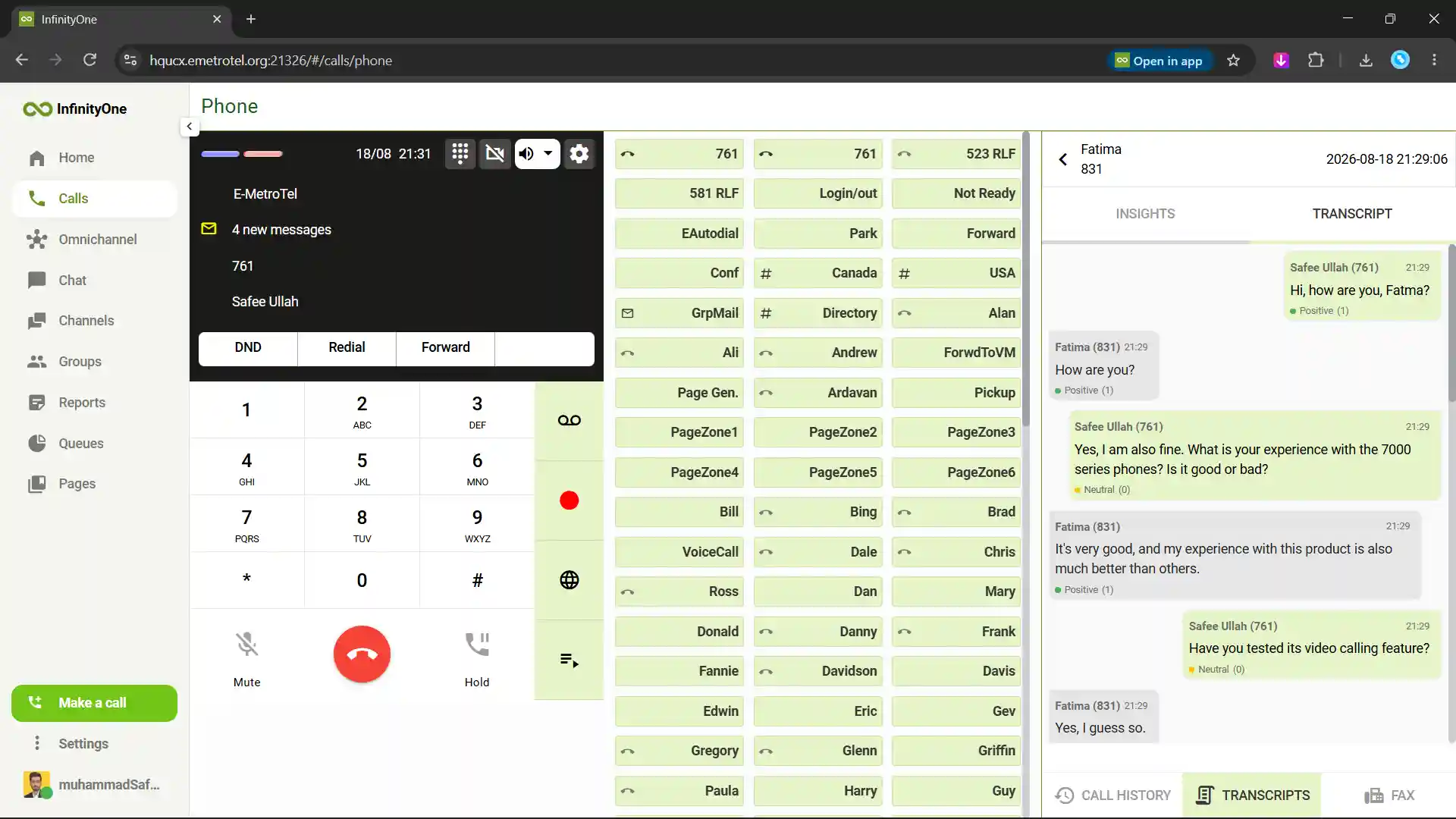
- AI-powered call analysis
- Microsoft Teams integration
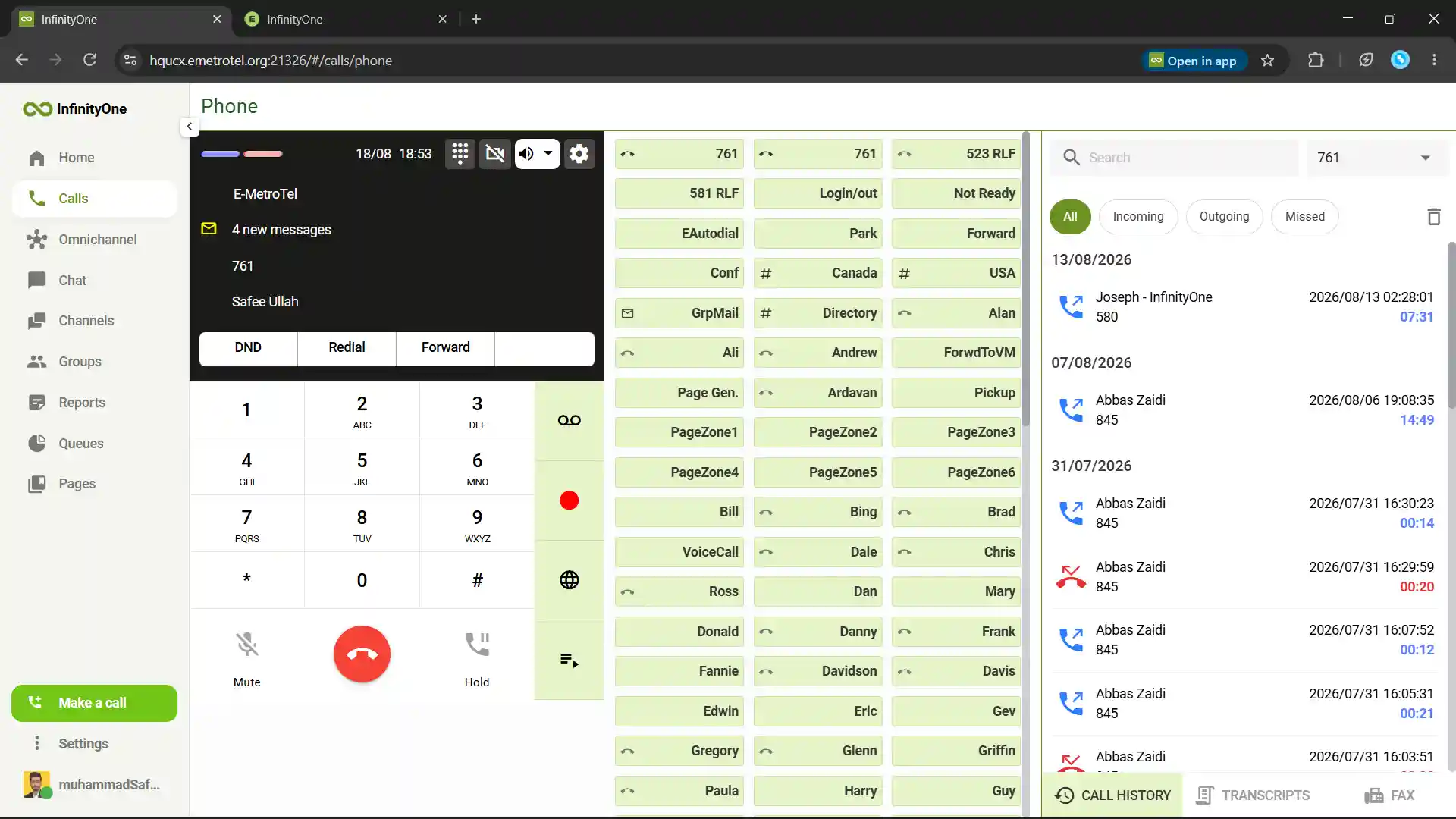
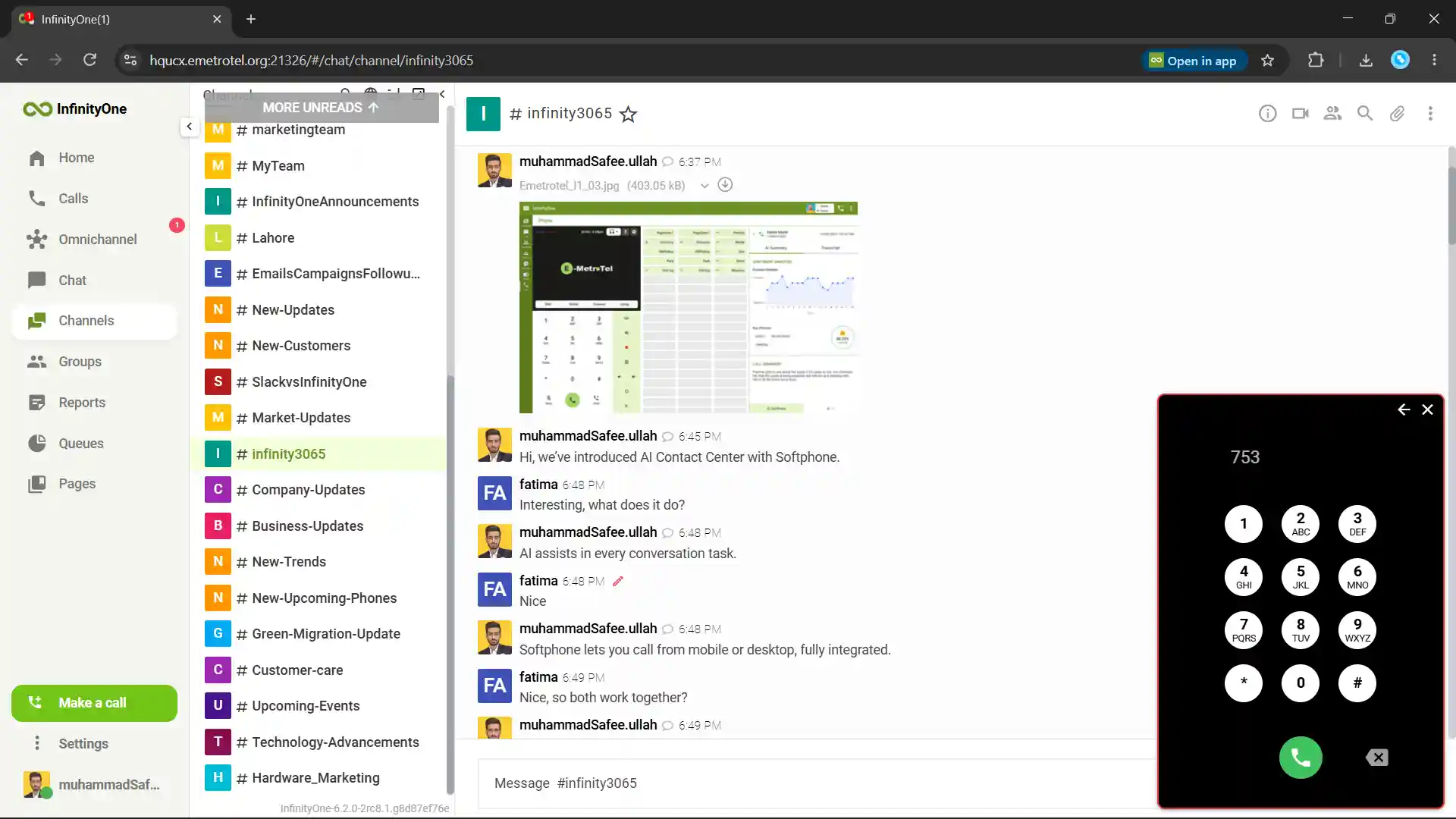
Infinity Web Client lets you make and receive calls directly from your browser, with no download or installation required.
Demo
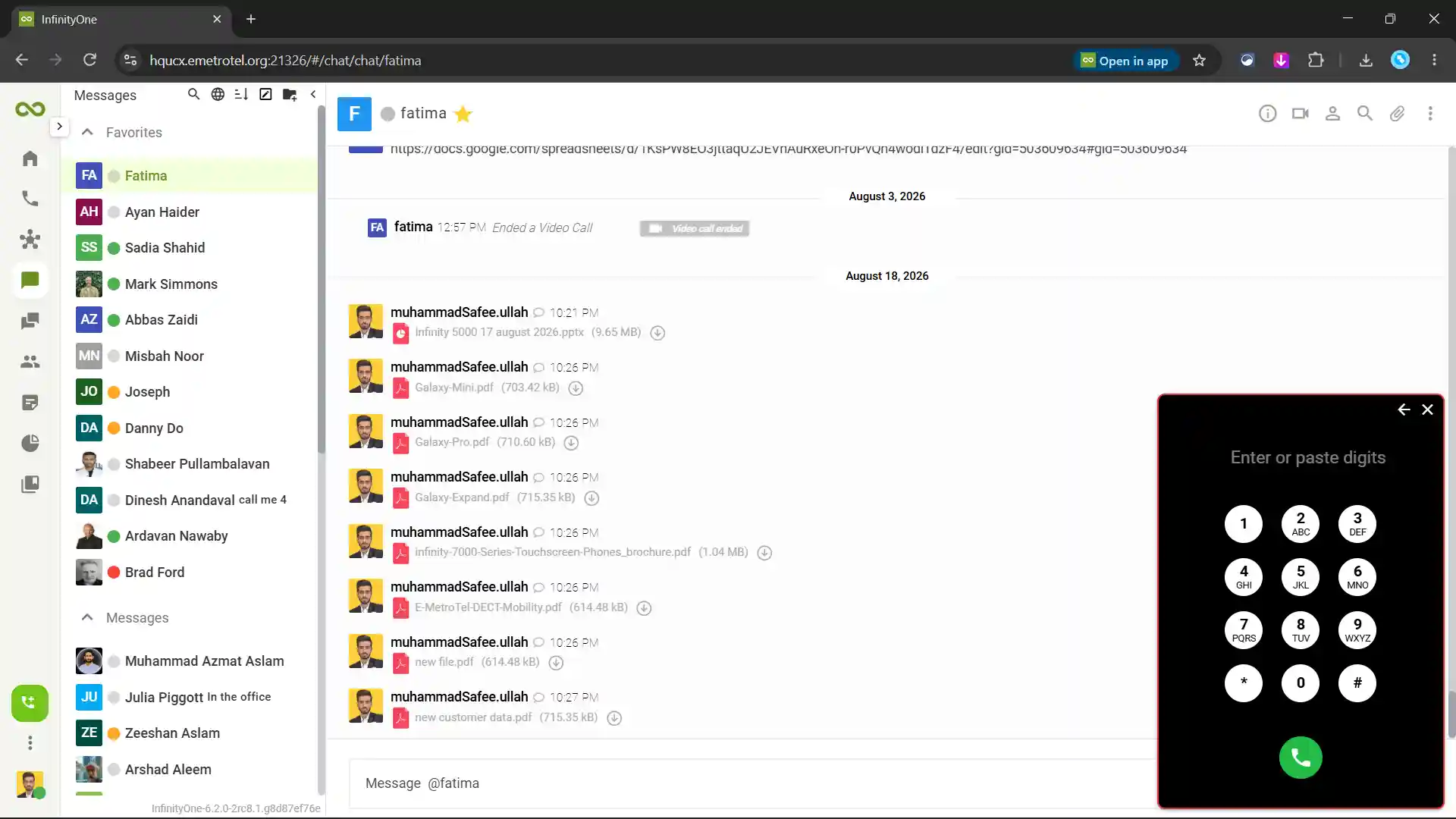
Dial any team member on their phone or across any client.
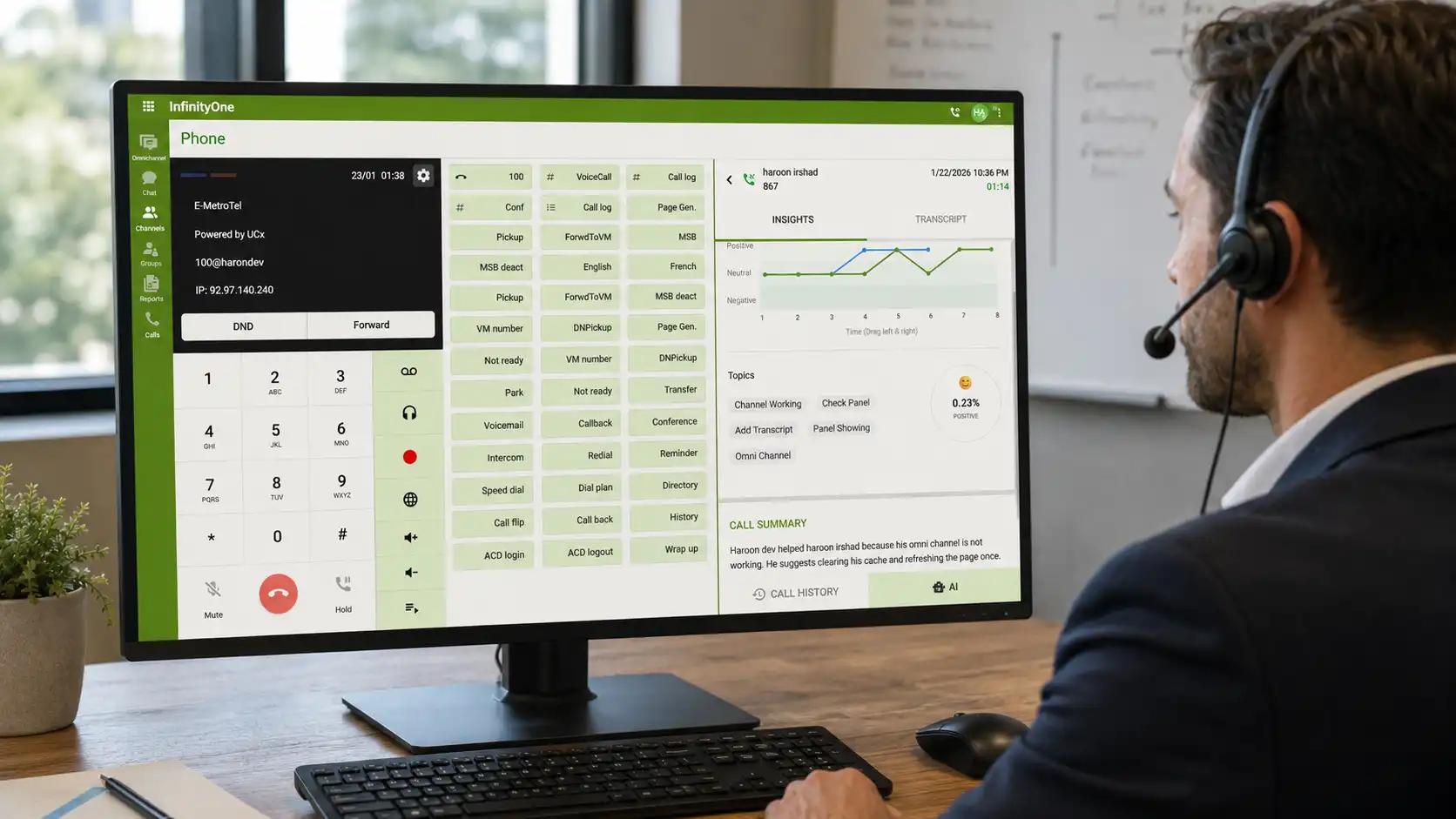
AI call transcripts analyze call conversations and help teams decisions.
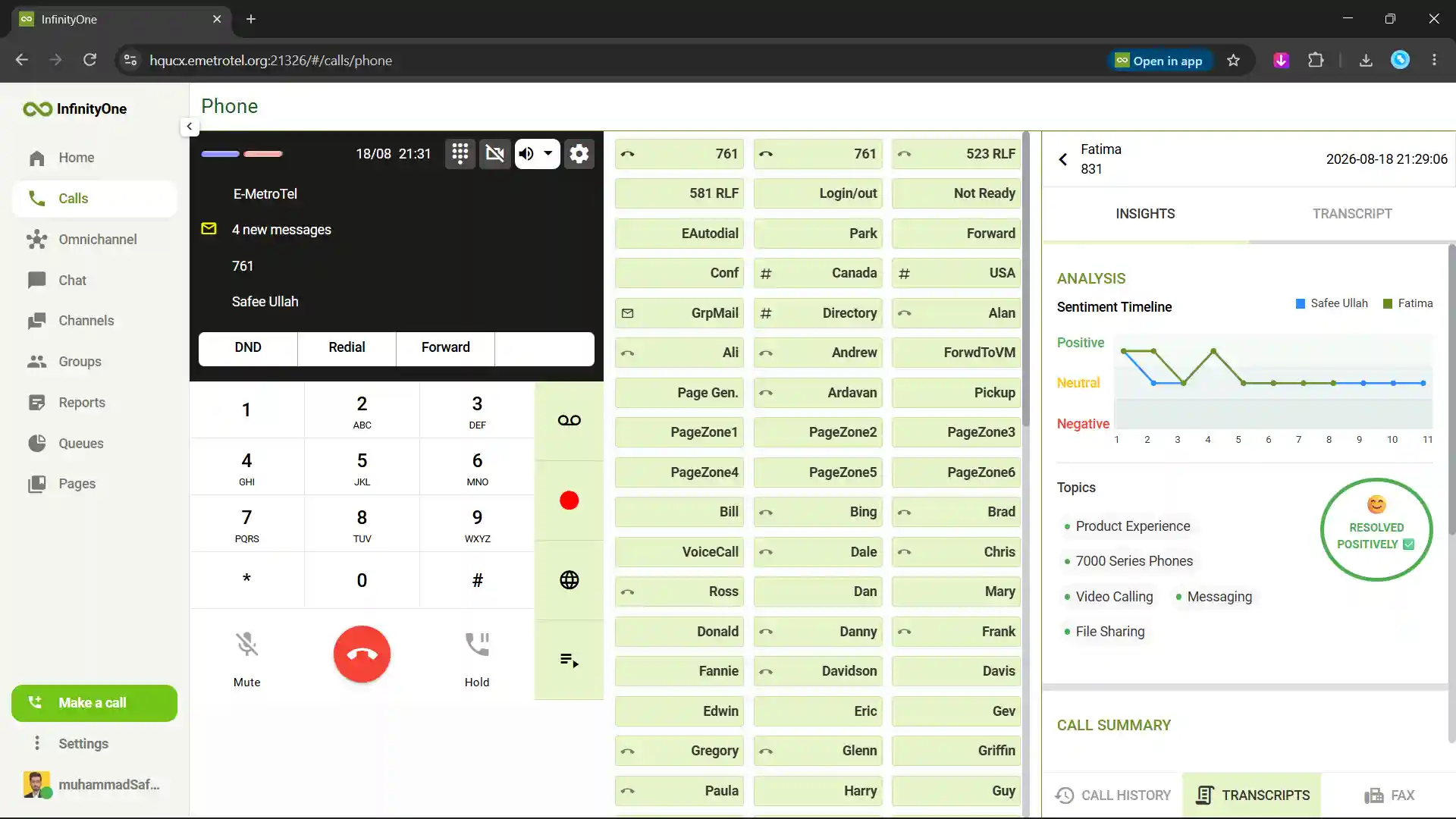
AI Call Summary and Sentiment Analysis for Smarter Follow-Ups
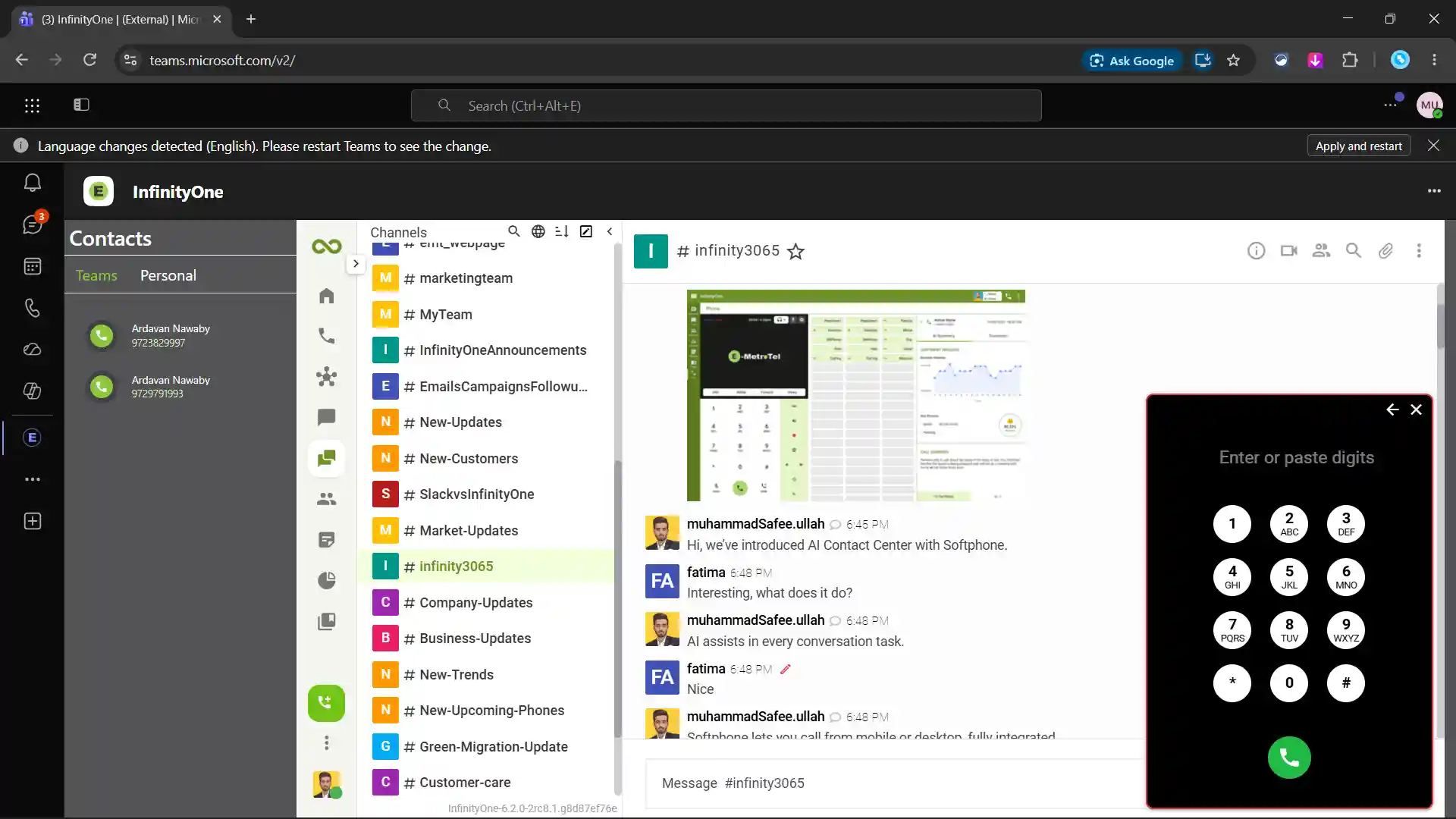
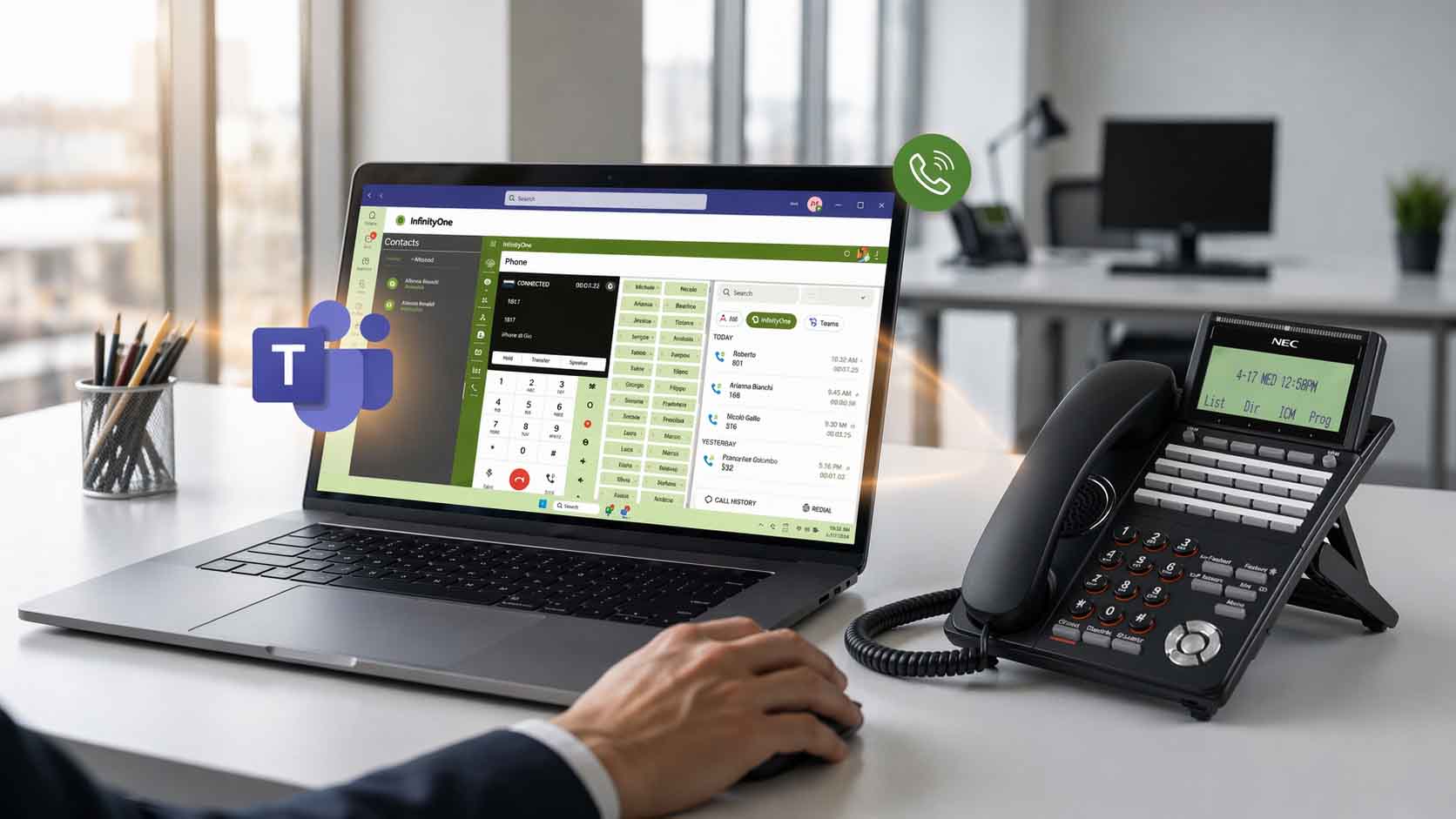
Use E-MetroTel phone calling inside Microsoft Teams.
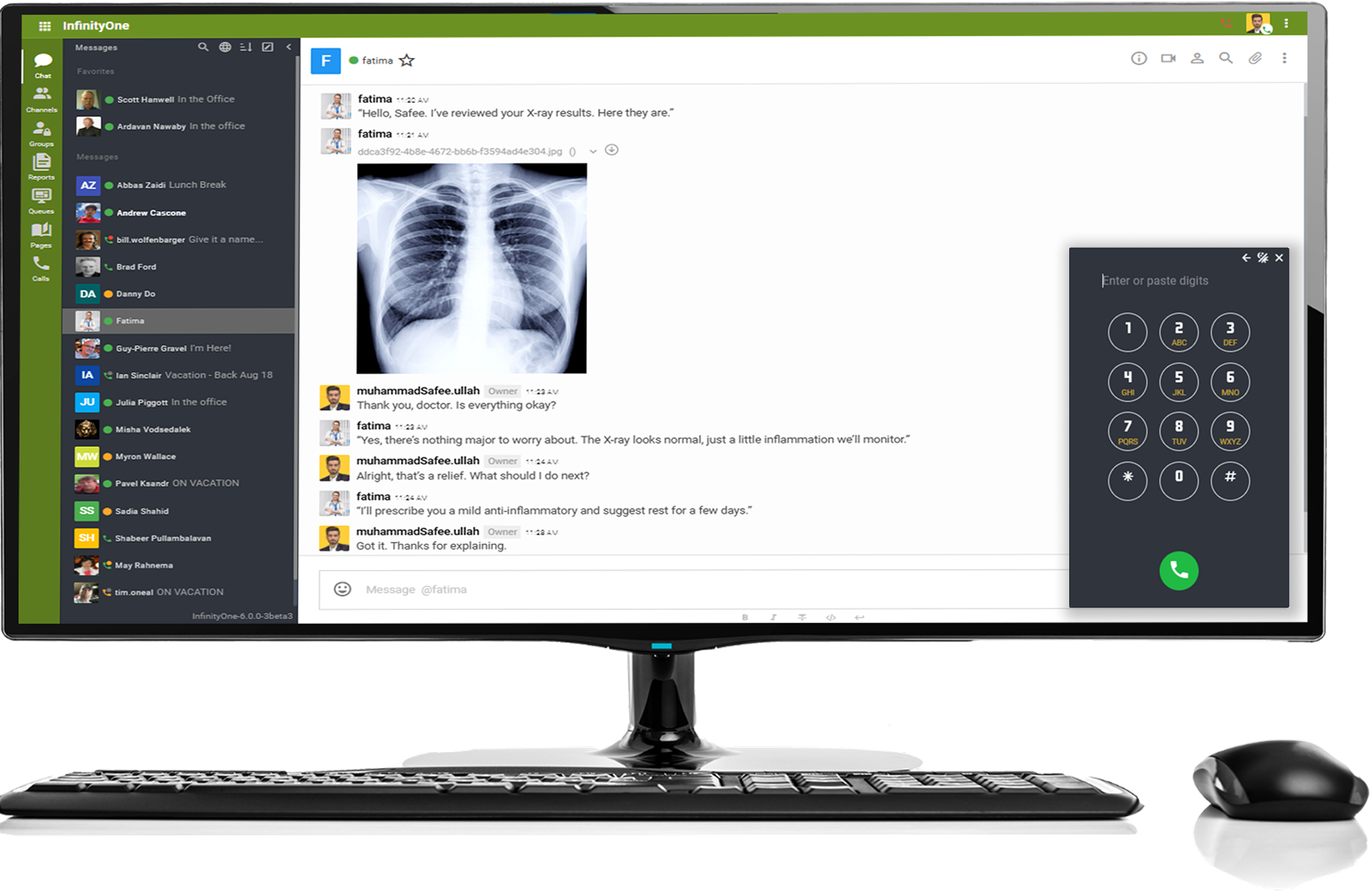
Personally chat, share files and photos, and call, all in one place.
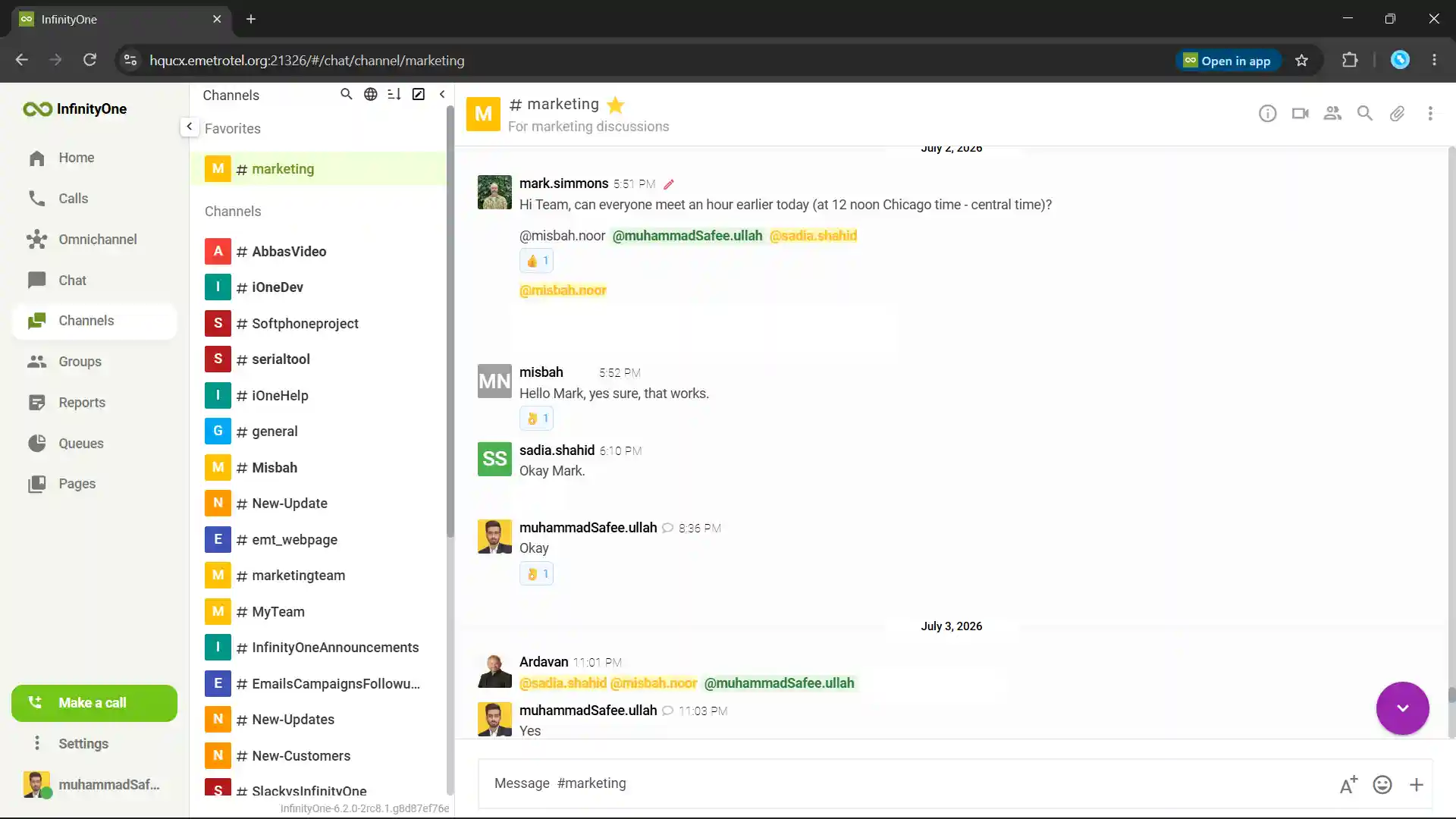
Create channels, bring your team together, and collaborate instantly.
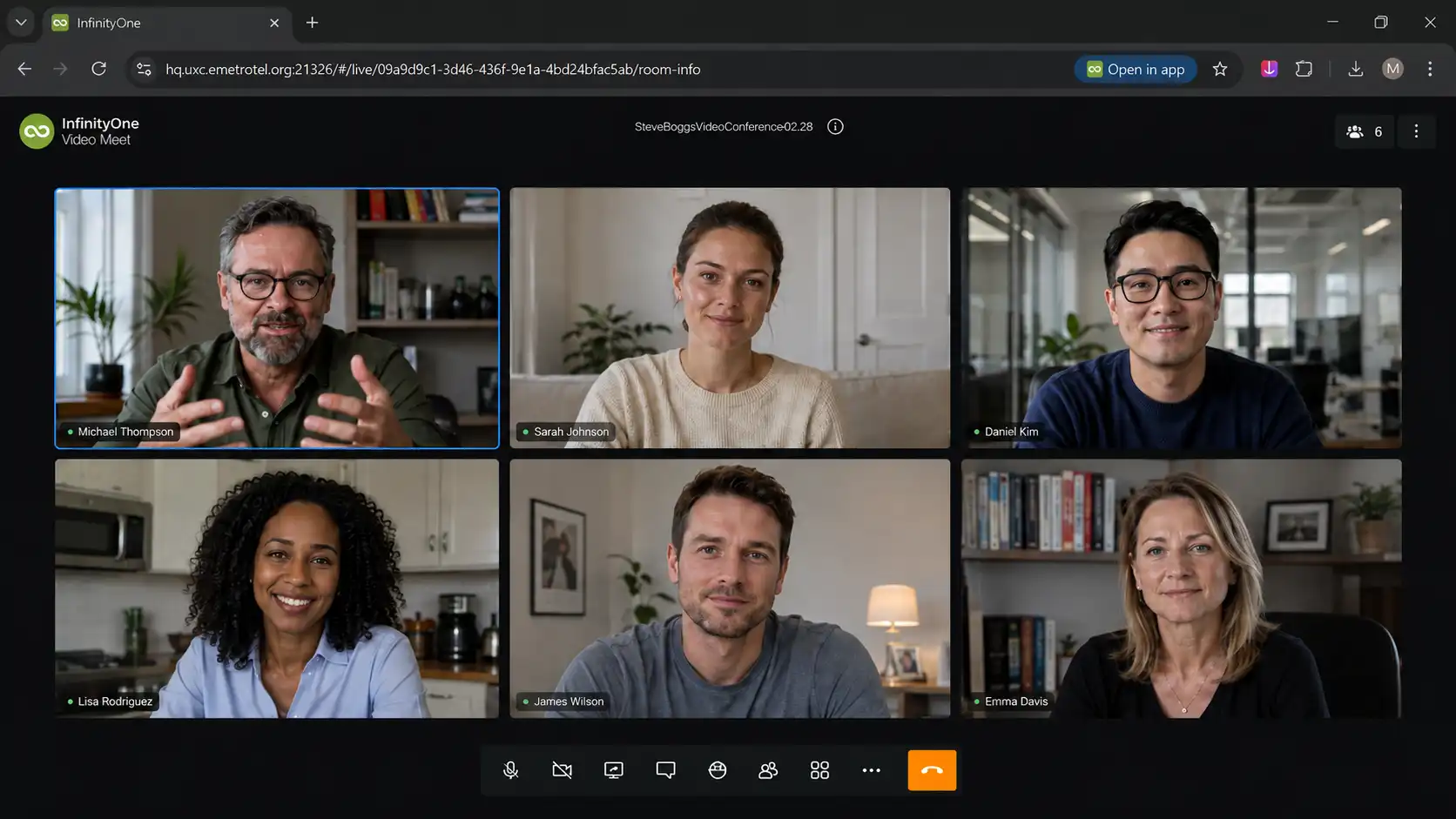
Start one-to-one video calls or host team video conferences.
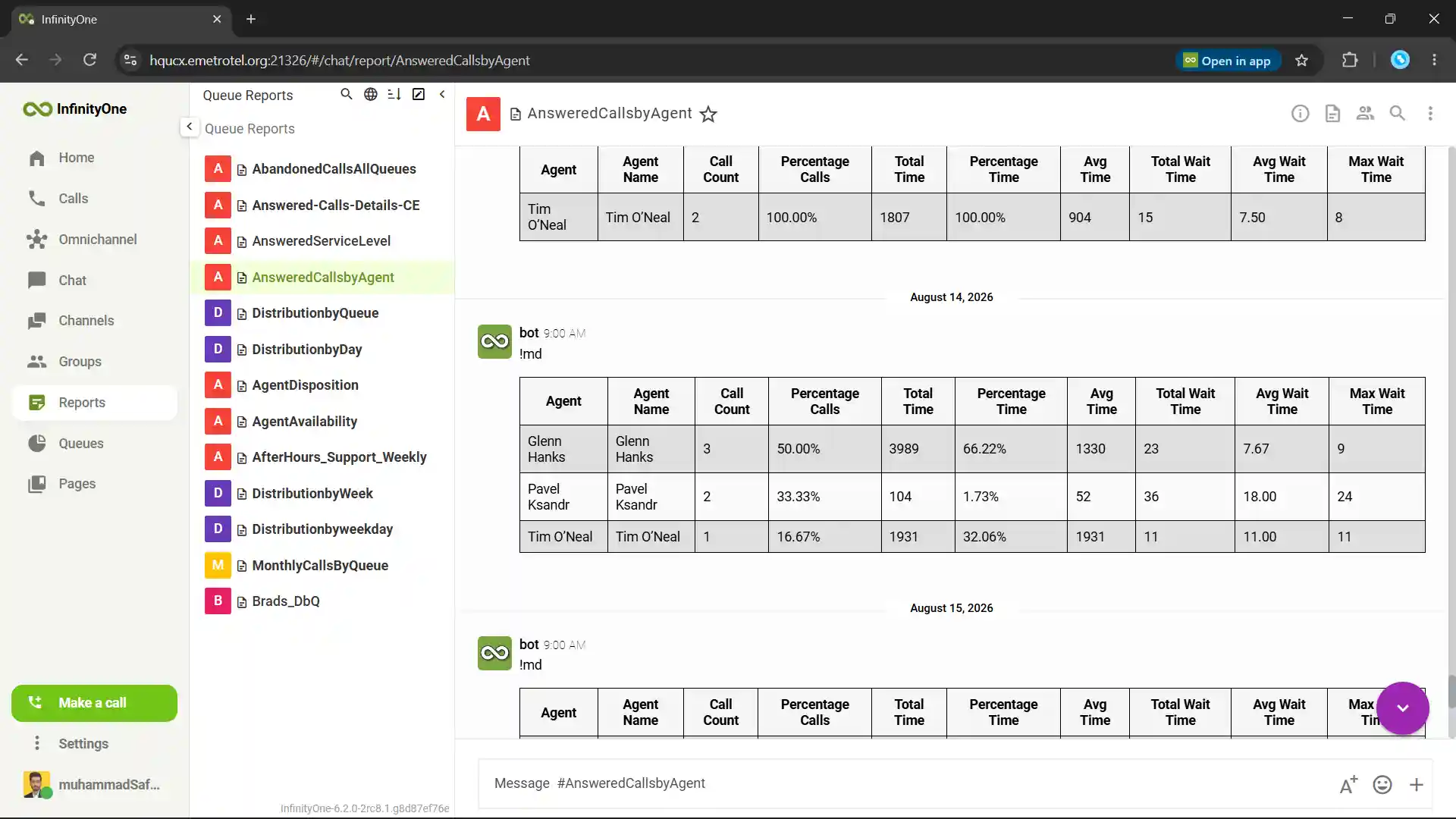
Get complete call details through advanced queue reports.
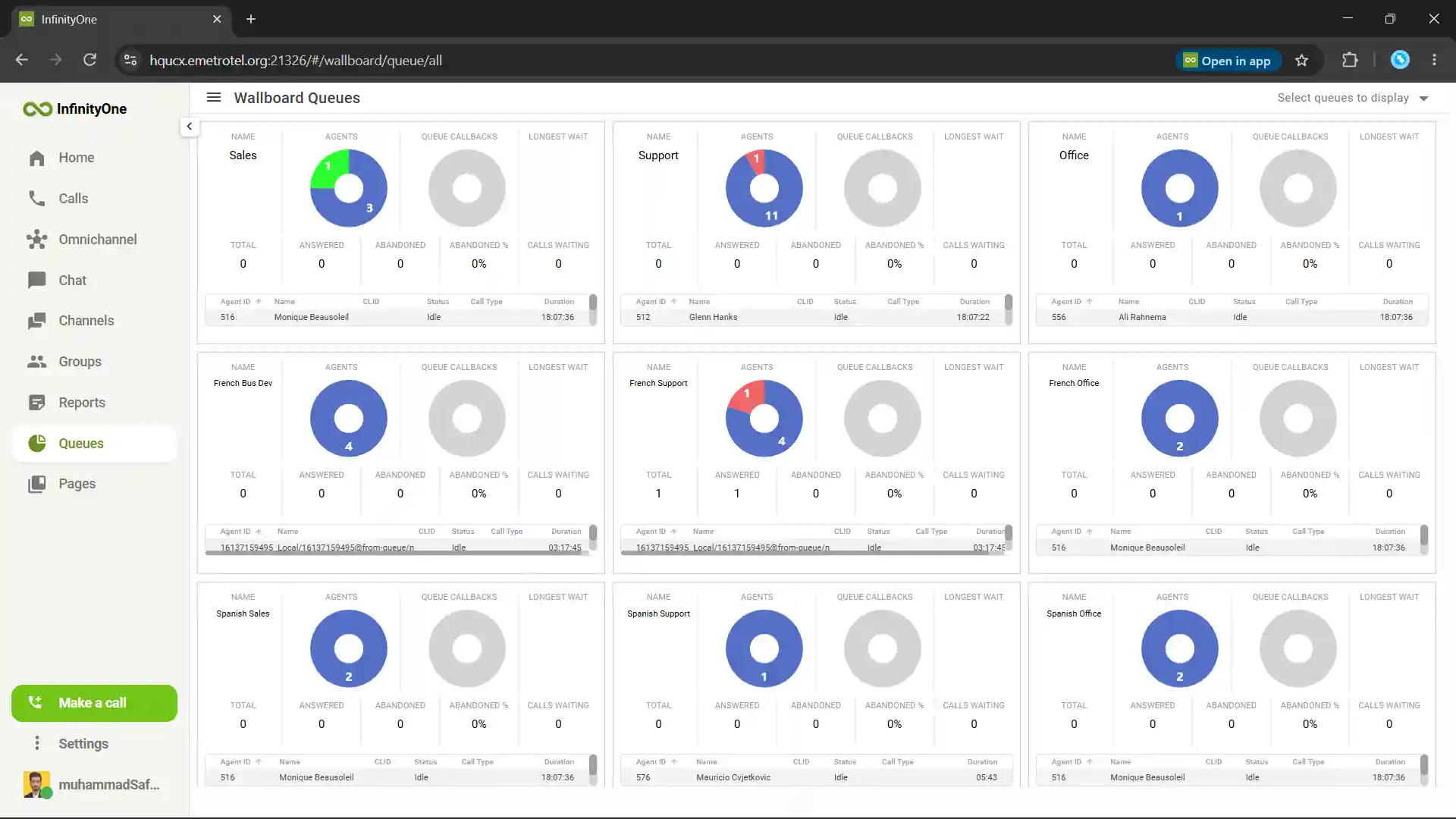
Real-time queue monitoring on the wallboard.
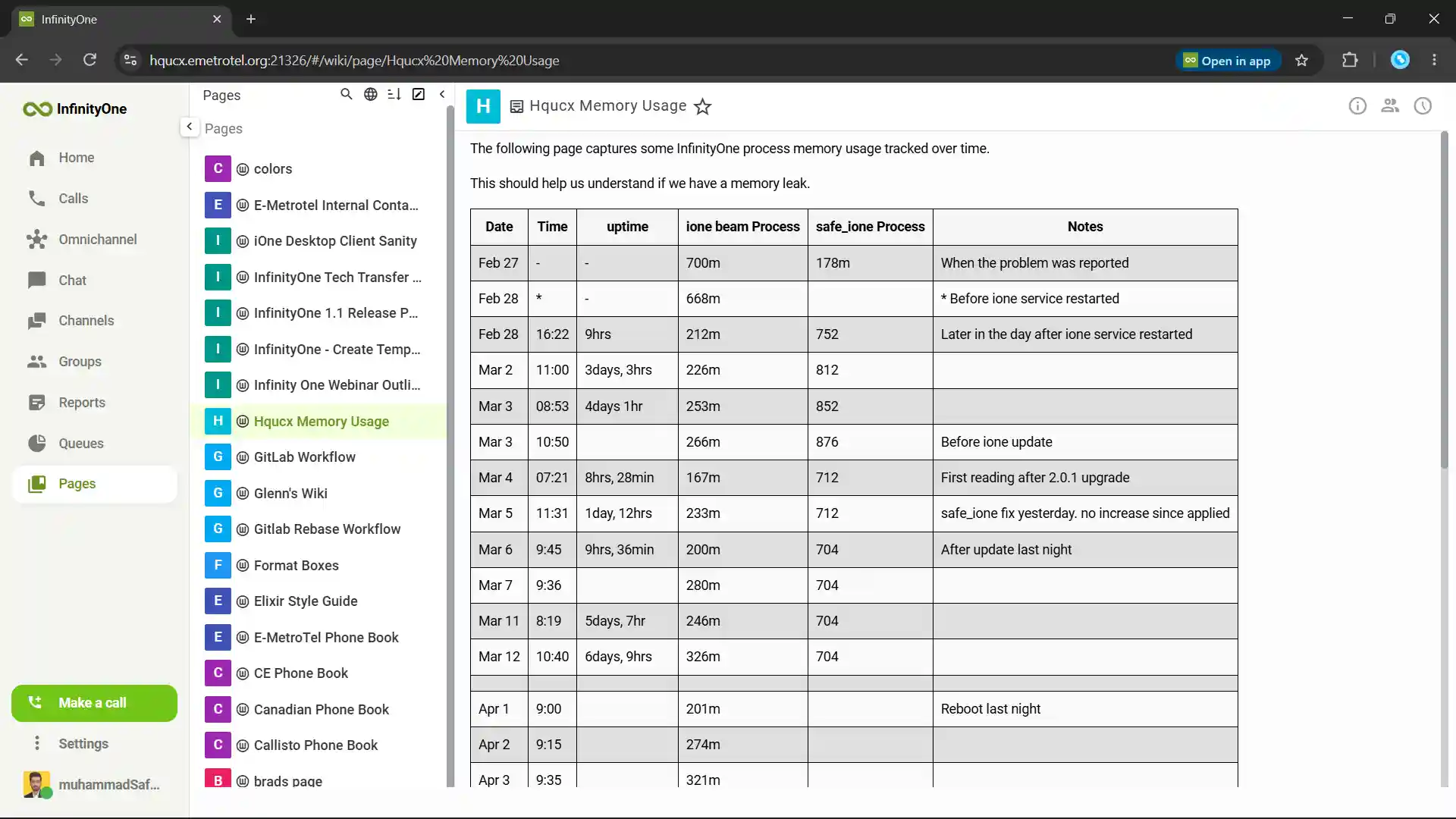
Pages for taking notes, saving custom information, and creating workflows.
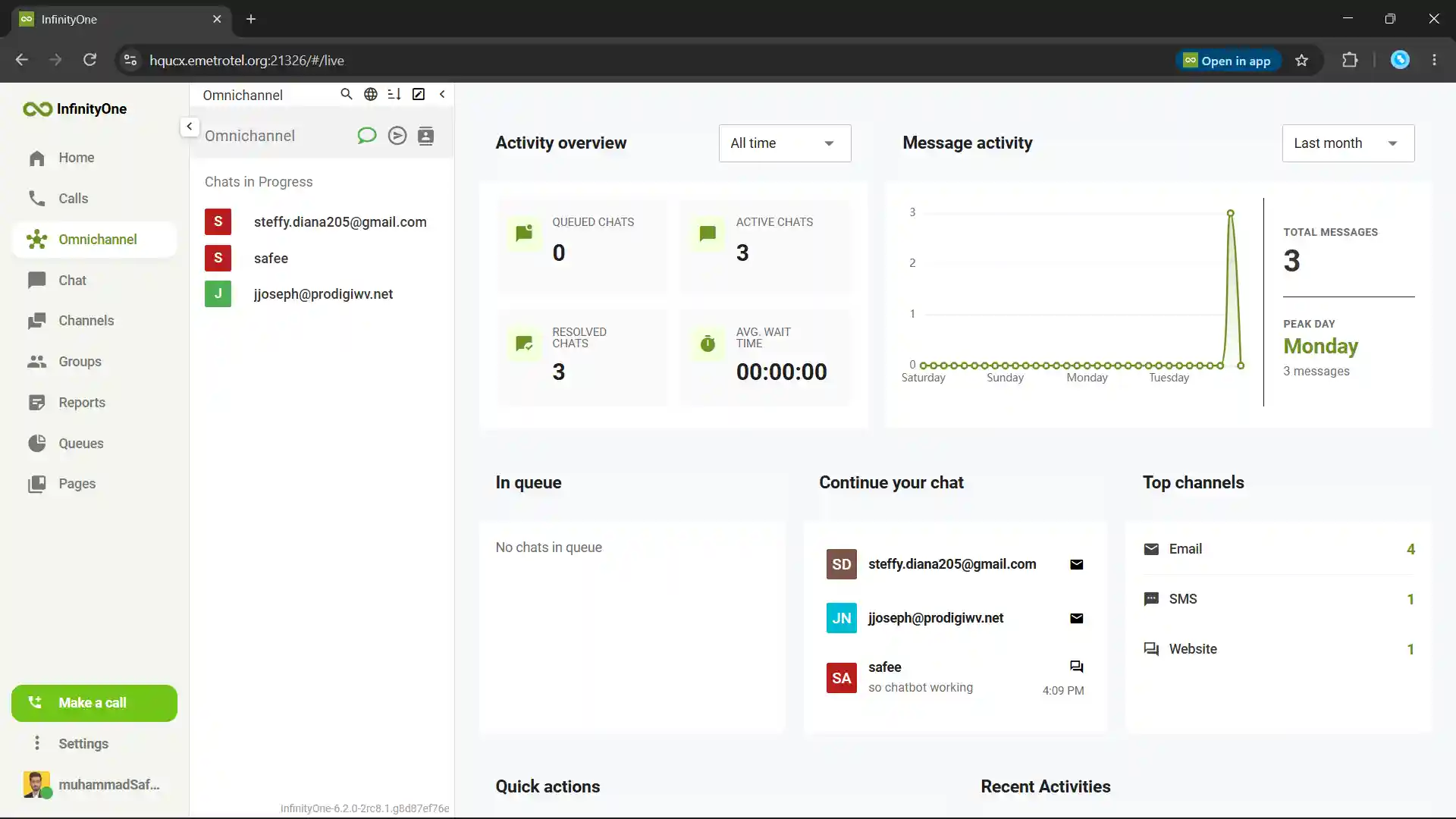
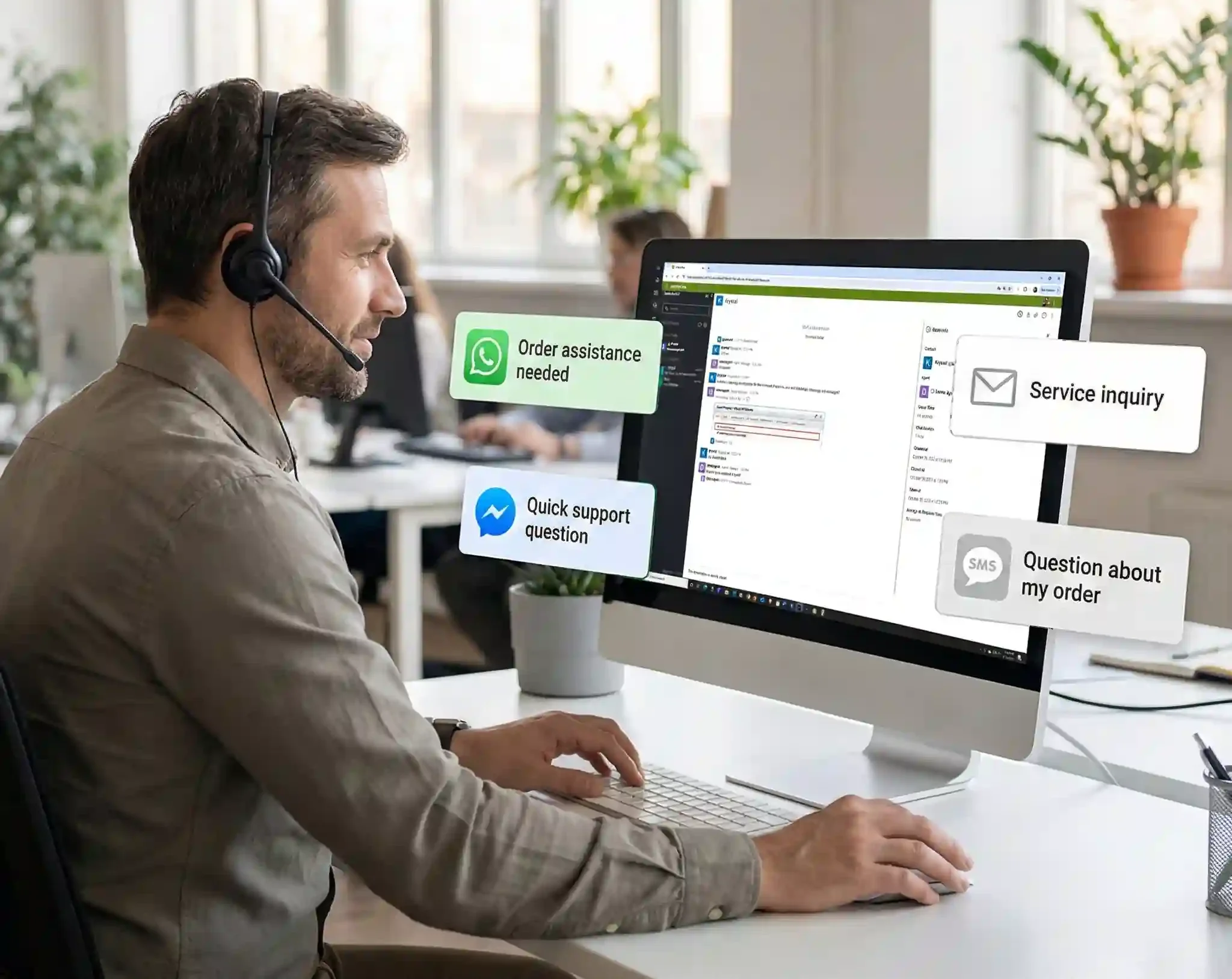
Omnichannel contact center bringing all interactions onto one platform.
Manage all customer interactions with Omnichannel Managers.
Manage and empower your agents for Customer Interaction.
See how an agent manages customer messages.
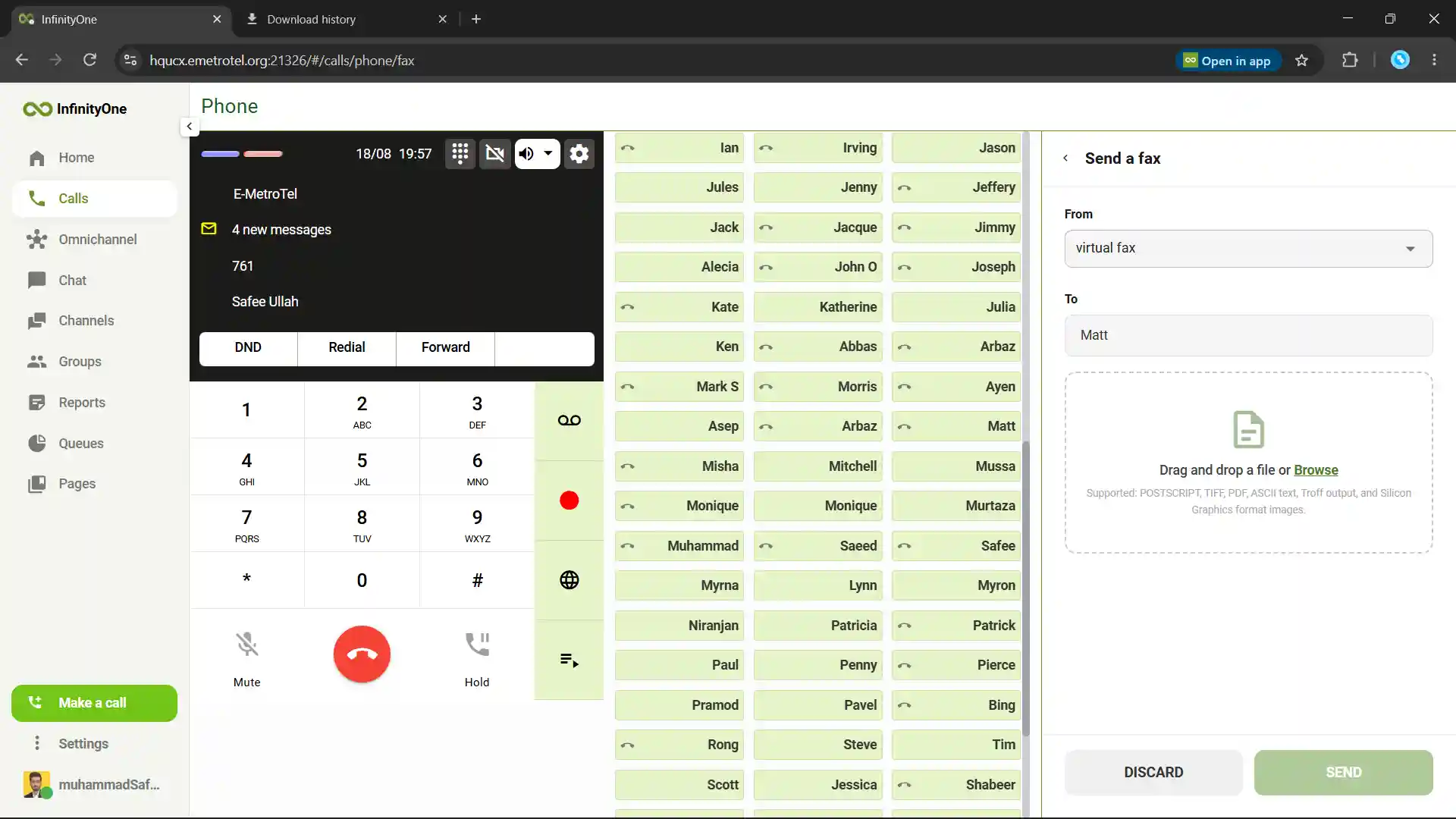
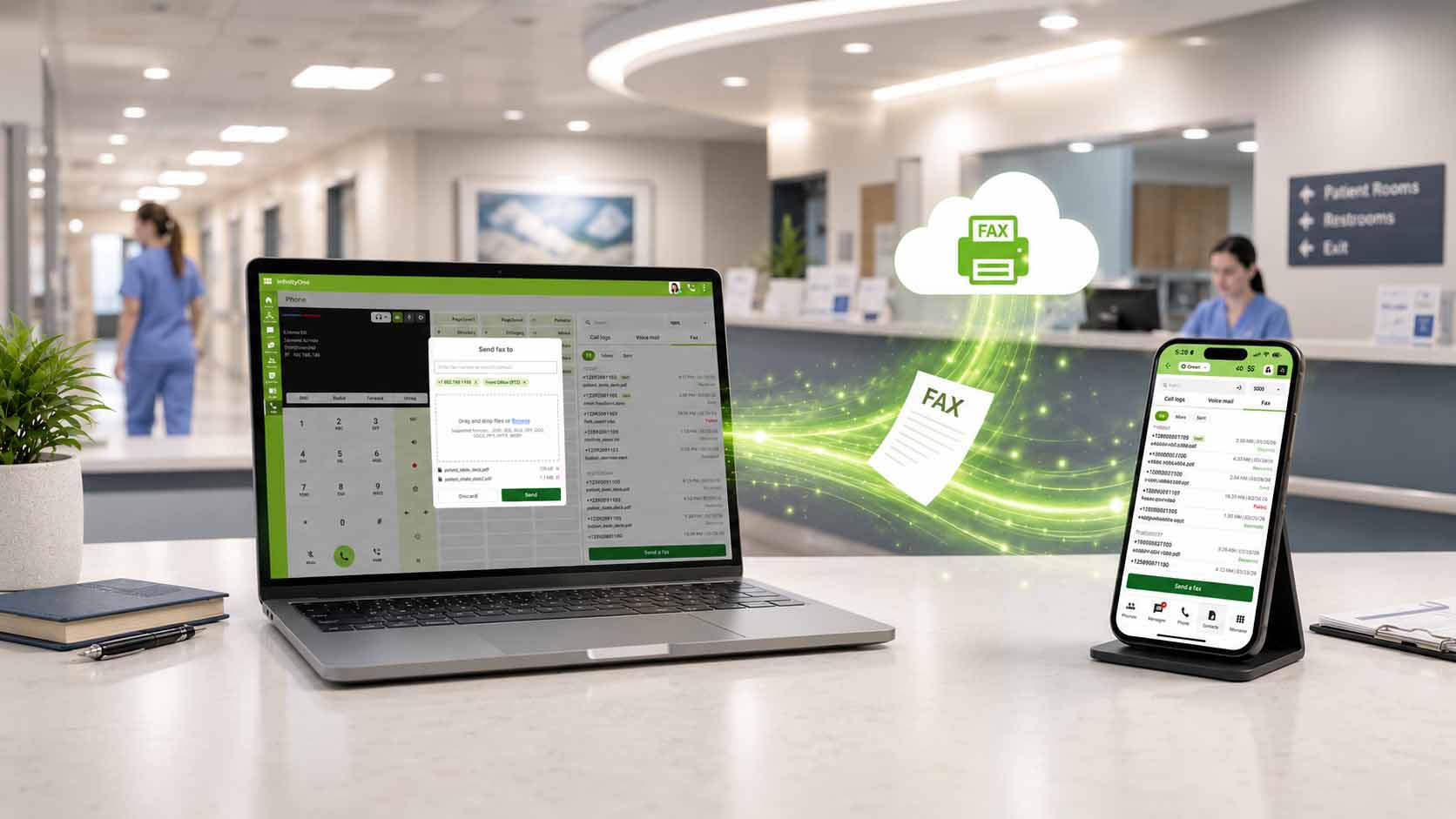
Securely send and manage business faxes.
Track every fax with clear, real-time status updates.
Directories designed for fast access to every key detail.
Built for Performance and Reliability.
Runs in the browser on desktop-class systems (Windows, macOS, Linux). Access to all voice features available on our Infinity telephone plus collaboration tools without installing software. Calling, chat, video conferencing, and presence.
- Call center agent and supervisor for queue visibility, real-time and historical reporting including professional-level omnichannel contact center communication across SMS, WhatsApp, Facebook Messenger, and Webchat media (email coming soon)
- Uses WebRTC for secure, plugin-free audio and video in a web environment
- Designed for desktop use only; not supported on mobile browsers
- Also ideal for hybrid workers, hot desks, or shared workstations or those needing access from any computer
- Accessible for any location via Chrome browser (soon to be supported on select other common browsers)
One-Click Calling
A Telephone on Your Computer
Turn your PC, desktop, or laptop into a daily-use telephone. With around 120 programmable keys, users can quickly call contacts, extensions, departments, or outside phone numbers directly from their computer. It helps make everyday calling faster, easier, and more organized.
- Use your computer like a regular office telephone
- Make calls to internal users or any phone number
- Around 120 keys for quick dialing and easy access
- Save frequently used numbers for faster calling
- Works on PC, desktop, and laptop
- Helps reduce the need to switch between devices
- Makes business calling easier from your workstation
Messaging
Chat, Share & Collaborate
InfinityOne includes built-in messaging, so your whole team can chat without leaving the app or using a separate tool.
There are three ways to talk: one-to-one chat for private conversations, group chat for small teams working together, and channels for reaching a larger audience around a topic like a company-wide announcements space.
- Chat one-to-one, in groups, or in topic channels
- Create as many channels as you need
- Share files, images, videos, and documents right in the chat
- You can Edit a message even after you've sent it
- See who's online, away, or busy at a glance
- Just click to call that person without leaving the conversation
Video Conferencing
Meet Face-to-Face From Anywhere
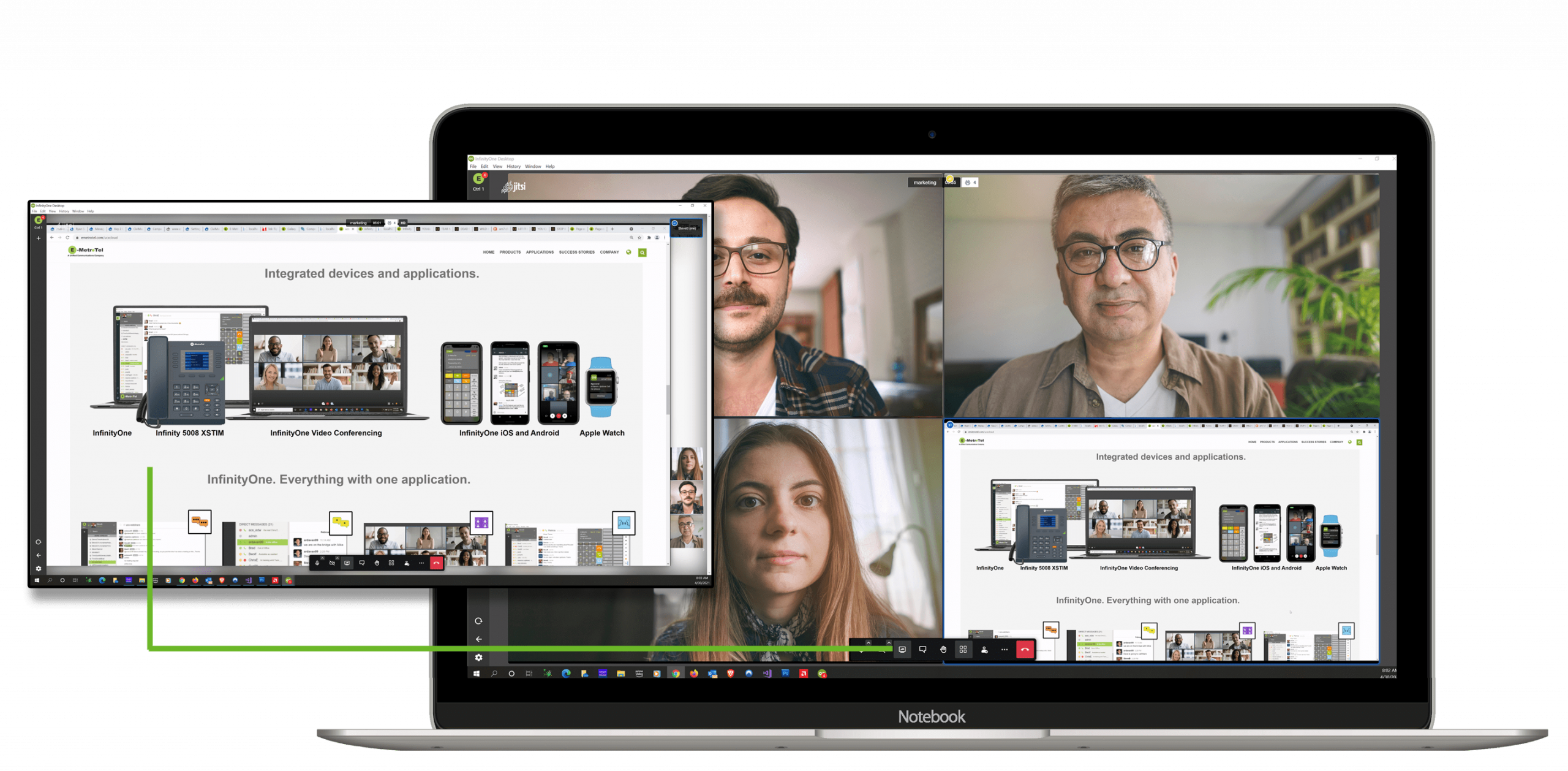
InfinityOne includes built-in video conferencing, so you can meet face-to-face without a separate meeting tool.
Start a video call any time one-to-one, with a small group, or as a full conference with your whole team.
- Start a video call instantly from any chat or channel
- Meet one-to-one, in a group, or in a larger conference
- Invite anyone to join, including people outside your company, by sharing a meeting link
- Add a virtual background for a clean, professional look
- Mute and unmute your microphone, and start or stop your camera
- Raise your hand to ask a question without interrupting
- Open the chat box to type messages and share links during the meeting
Screen Sharing
Show Your Screen During a Video Call
While you’re in a video meeting on Infinity Web Client, you can share your screen so everyone can see exactly what you’re talking about. It’s great for presentations, training, or walking a team through a document.
- Let the meeting leader share, or allow participants to share too
- Use it to present ideas, teach, or explain something step by step
- Keep everyone following along on the same thing in real time
Contact Center
One Place to Serve Every Customer
Every business needs one central point to manage customer conversations and respond as fast as possible. Infinity Web Client builds a contact center right into the same app your team already uses for calls and chat no separate system to run.
- Bring messages from your website, WhatsApp, Facebook Messenger, email, and voice into one place
- Organize your team agents into departments so the right agent handles the right question
- Let agents take and manage multiple chats at once
- See live queue activity calls waiting, answered, abandoned, and wait times
- Pull in a manager to join a conversation when an agent needs help
- Keep a full history of past chats and customer details
Microsoft Teams Integration
Keep Microsoft Teams, Add Real Telephony
Many businesses run on Microsoft Teams but still need a real, enterprise-grade phone system behind it. E-MetroTel’s Microsoft Teams integration embeds your UCX telephony directly into Teams – so your team keeps working in the app they already use, while E-MetroTel handles the calling.
- Make and receive external calls through UCX, right inside Microsoft Teams
- Keep using desk phones and softphones — all on the same UCX extension
- Add full call center capability that Teams doesn't offer on its own
- It gives Teams the phone system it's missing — without changing how your team works.
Fax Server and Client
Send and Receive Faxes Without a Fax Machine
Infinity Web Client includes built-in fax, so your team can handle faxes right from the same app they use for calls and chat – no separate fax machine or phone line needed.
- Send and receive faxes directly from Infinity Web Client
- Keep faxing inside your secure environment, like the rest of your communications
Presence and Click to Call
Online, Away, Busy, Offline.
Visually determine the status of everyone in your office and click to call them.
You can also set your status and create custom status messages.
Wallboard for Call Center
Call Center Stats
Infinity Web Client Wallboard is an add-on application for companies that operate formal call centers in their offices.
Wallboard offers real-time info for multiple or single queues, and operates seamlessly in your Infinity Web Client PC or Mac application.
Wallboard includes the following real-time information:
- Queue Number
- Agent Availability Graphic
- Total Calls
- Answered Calls
- Abandoned Calls
- Calls Waiting
- Longest Wait
Supports: Windows, Mac
AI Call Analysis
Smarter Calls With Built-In AI
E-MetroTel’s AI Call Assist is built right into the Infinity Web Client. When a call ends, AI automatically analyzes it and gives users a clear summary along with sentiment analysis – so your team can quickly understand what was discussed and how the conversation went, without listening to the whole call again.
- Get an automatic call summary after every call
- See sentiment analysis to gauge the tone of the conversation
- Review what was discussed without replaying the recording
- Use insights to prepare better for follow-up calls
Take a quick product tour
Get a quick overview of E-MetroTel Infinity Web Client and discover its powerful features.
Note: Best viewed on desktop for the full experience.