Infinity Web Client Softphone

Your complete communication workspace in one browser

Here Teams Connect, Collaborate, and Stay Secure! Infinity keep your team connected with organized, secure communication without the extra complexity. With role-based permissions and controlled external access, your staff can collaborate smarter while keeping customer and business data safe.

  • Business Calling
  • One to One Call
  • Conference Call
  • Video Meetings
  • Chat & Files Sharing
  • Group Messaging
  • Contact Center
  • Call Center
  • Secure Fax
  • AI Call Insights
  • Microsoft Teams Integration
Contact Us →
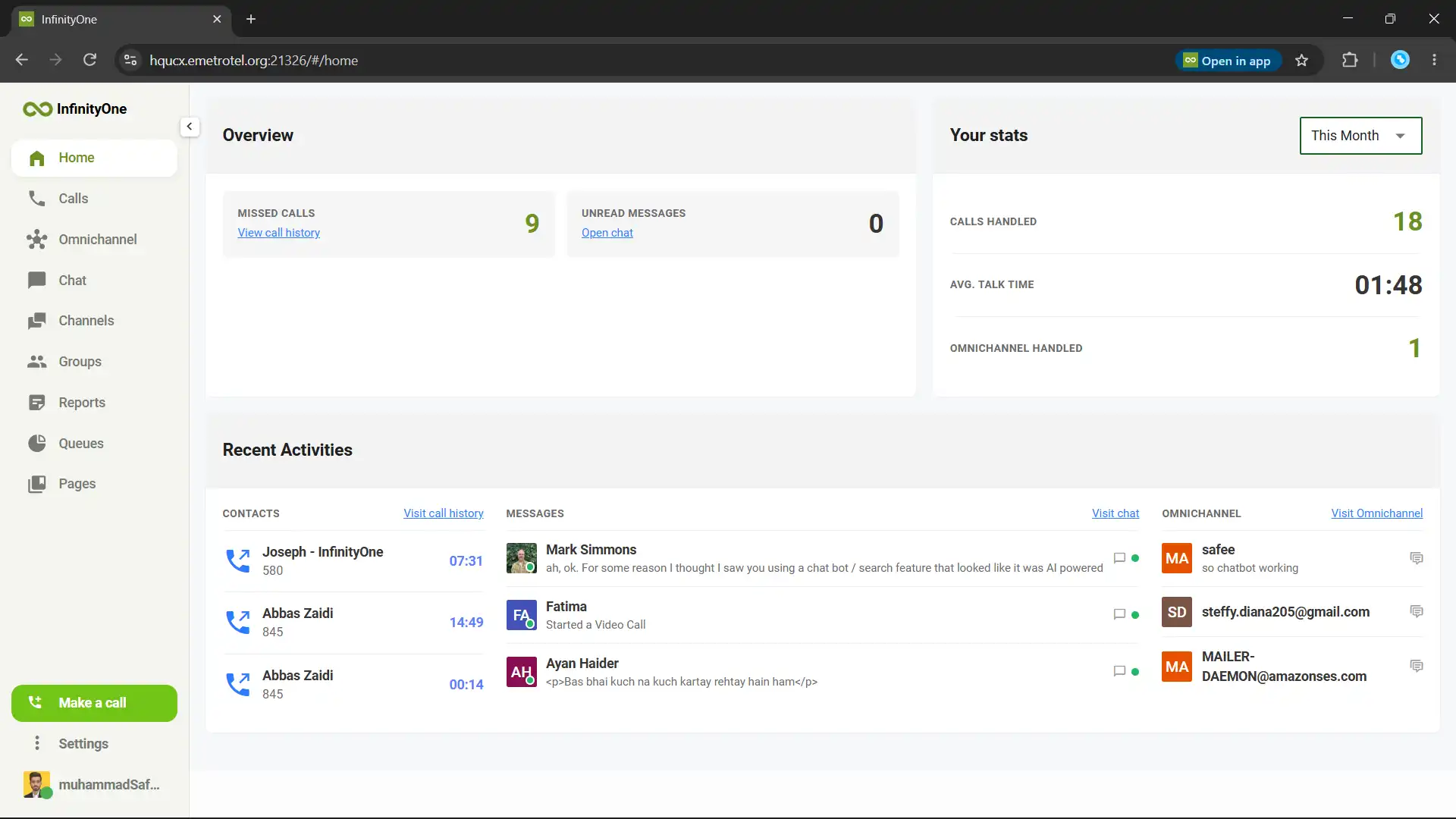
Infinity Web Client browser-based softphone and communication workspace
  • No Installation Needed
  • Use Your Own Extension
  • Call Directly From Browser
  • Advanced AI Capabilities
DEMO

See Infinity Web Client in Action

Explore calling, messaging, video meetings, AI call insights, contact center tools, fax and other everyday communication features.

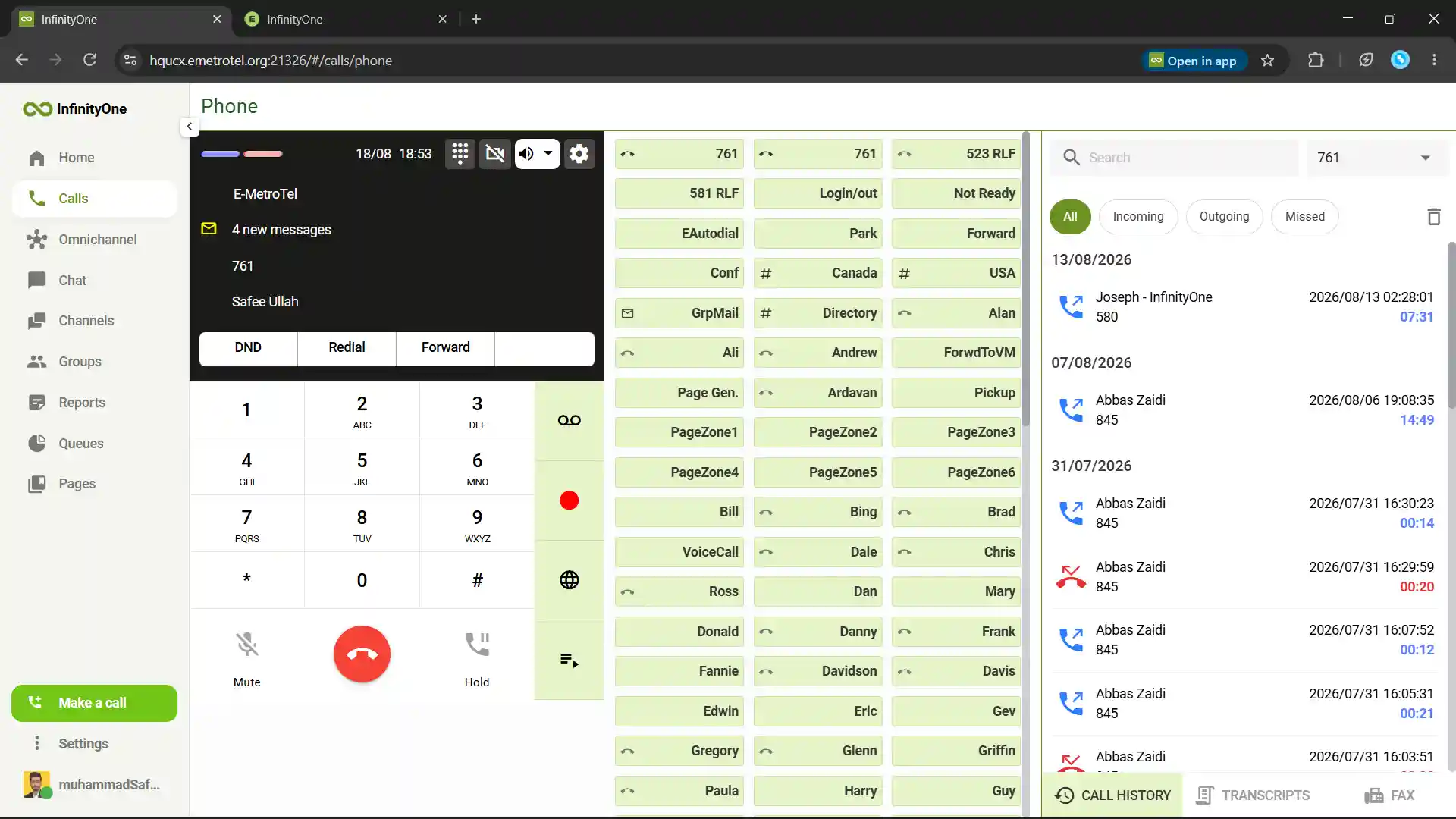
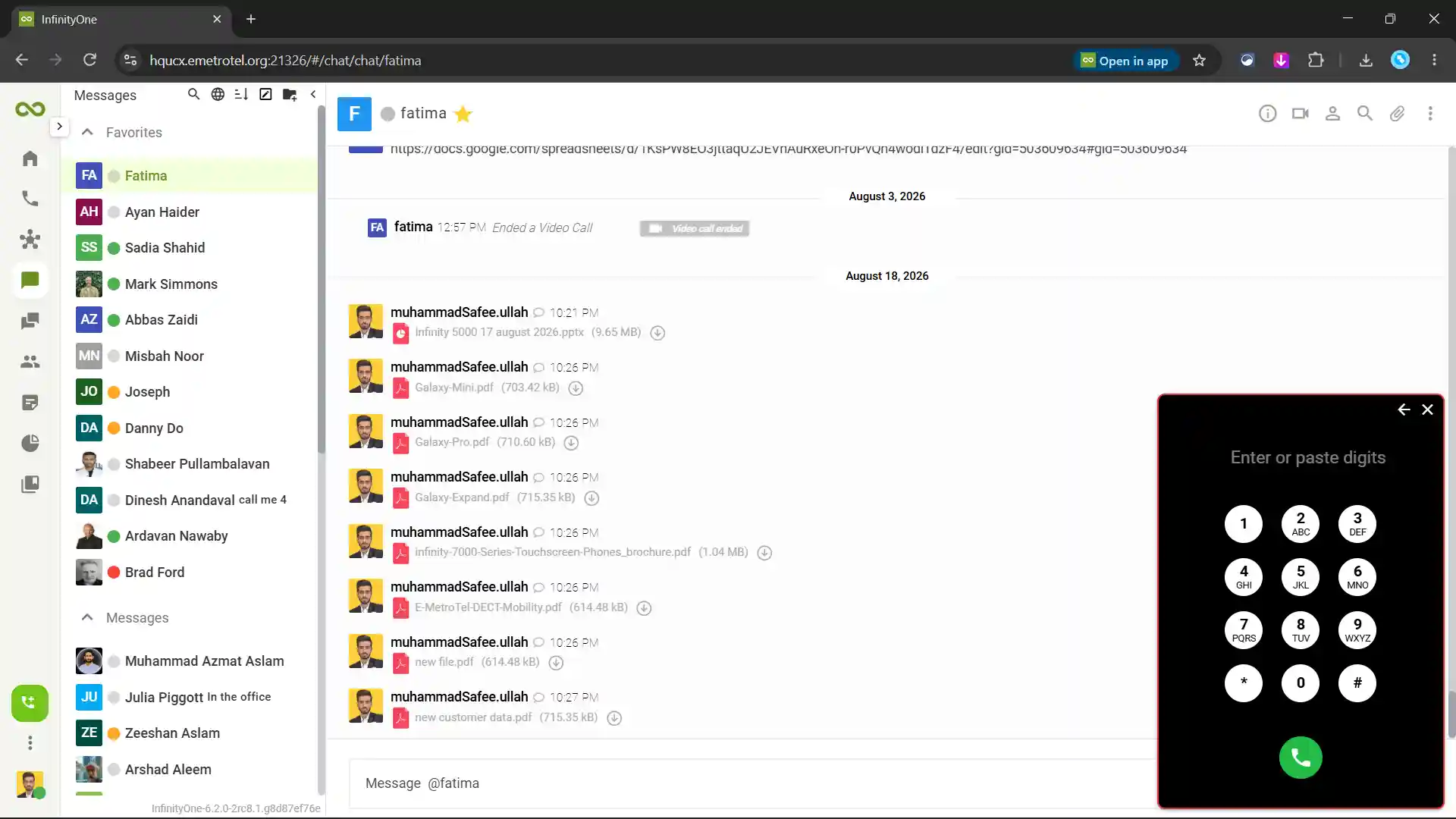
Make and receive business calls from your browser.
E-MetroTel
Infinity Web Client business softphone and browser calling
Traditional softphone limitations including separate fax, Microsoft Teams, CRM, chat and video meeting tools

The Problem

Traditional Softphones Leave Teams Disconnected

Most softphones are built mainly for calling. Teams still need separate tools for messaging other features. This creates more tabs, slower workflows and scattered communication.

  • Calling Only
  • Limited Collaboration
  • Separate Chat Apps
  • Separate Video Tools
  • No Built-In Fax
  • No Teams Integration
  • Installation Required
  • No Contact Center
  • Extra Queue Tools
  • Disconnected Messages
  • Scattered Files
  • Slower Workflows

Infinity Web Client brings calling, messaging, video, channels, file sharing, customer conversations, queues and reports into one browser-based workspace.

InfinityOne Solution

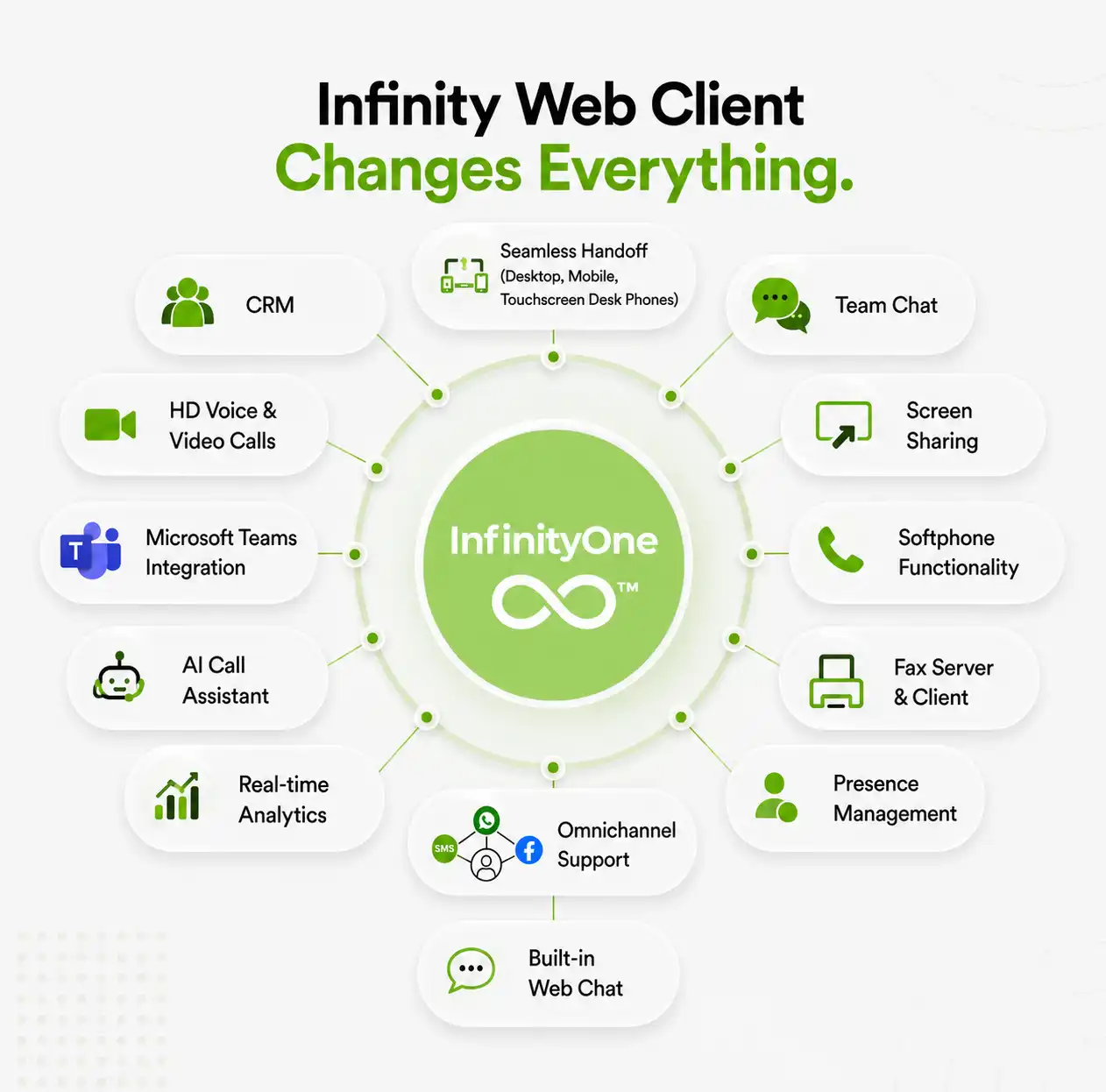
Everything Your Team Needs in One Workspace

Access business communication, collaboration and customer engagement tools from one connected platform.

Business Calling

Make and receive internal and external business calls.

Team Messaging

Send direct messages and communicate with groups.

Public and Private Channels

Organize conversations by team, topic or project.

Video Meetings

Start one-to-one video or group video call or conference video calls.

File and Image Sharing

Share documents and images inside conversations.

User Presence

See who is available, busy, offline or on a call.

eFax

Send, receive and track business efax communication.

Microsoft Teams Calling

Use E-MetroTel business telephony inside Teams.

Contact Center

Access customer call,message queues from the same workspace.

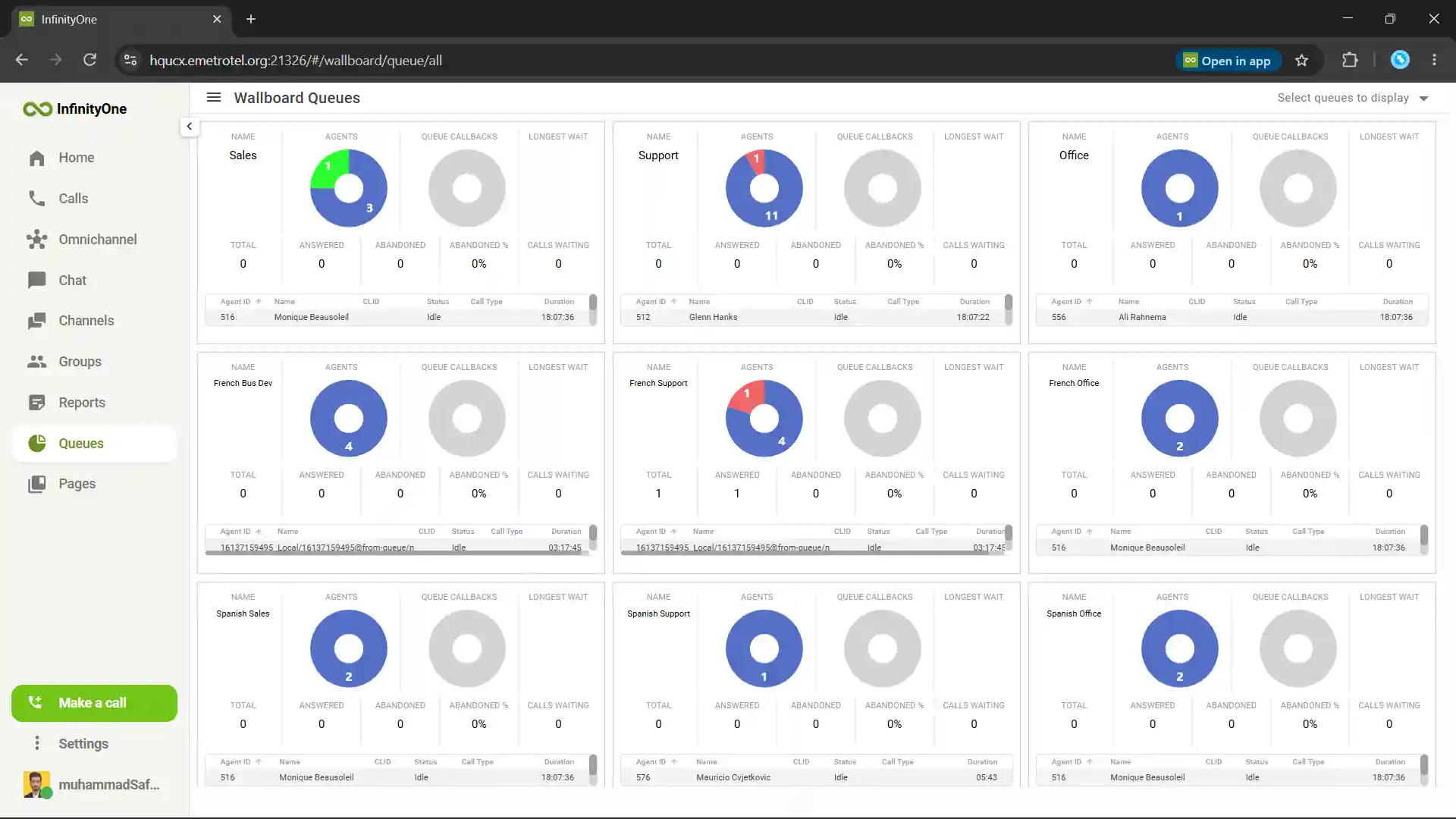
Reports and Wallboards

Review queue performance and live contact center activity.

Shared Pages

Create internal pages for instructions and team resources.

CRM Integration

Make customer calls directly from supported CRM systems.

Browser-Based Business Calling

Make and Receive Business Calls From Your Browser

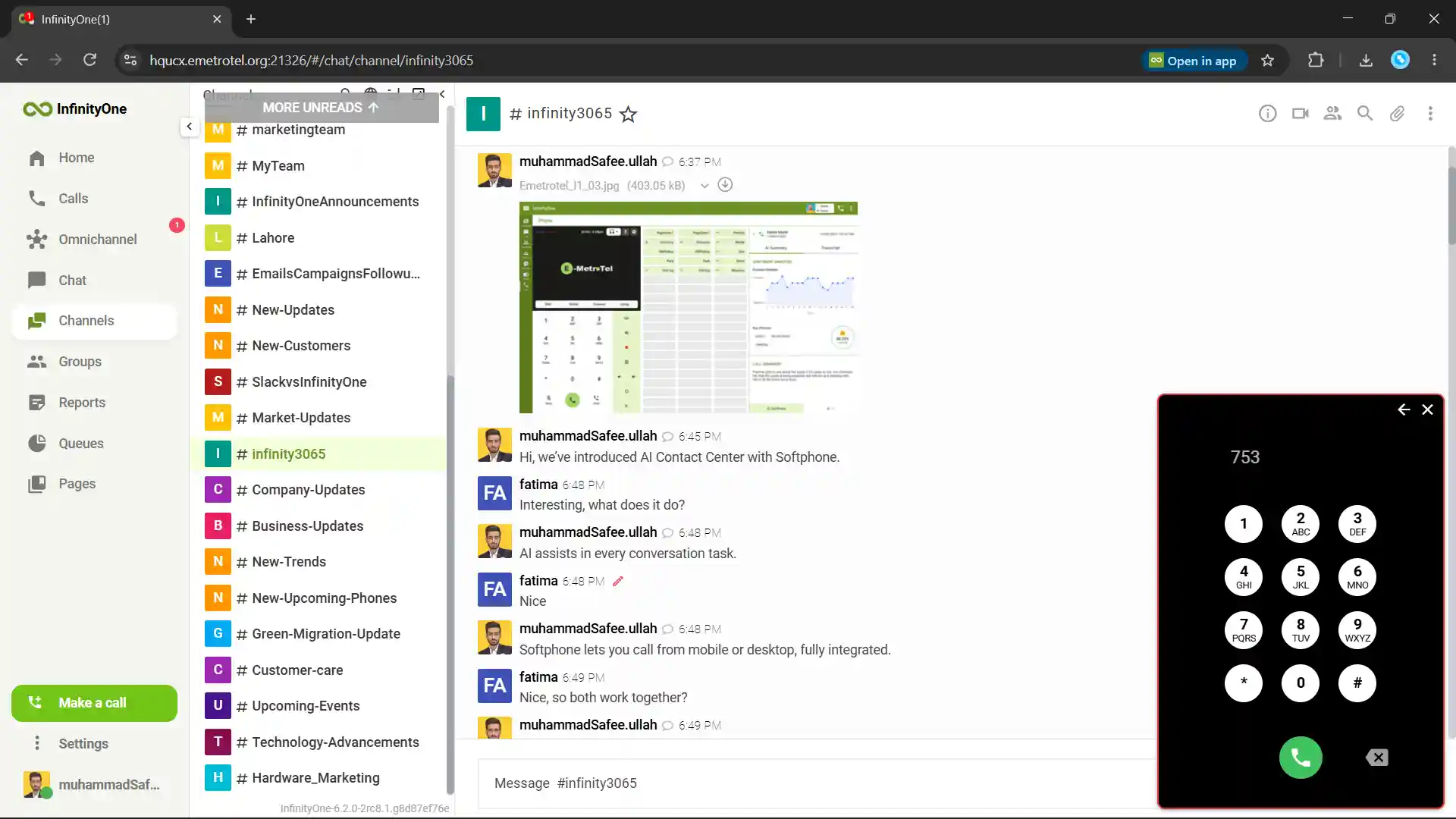
Infinity Web Client lets employees call coworkers, departments, customers and external phone numbers directly from a supported desktop browser, without switching to a separate calling application.

  • Internal and External Calls
  • Group Calls
  • 120+ Programmable Softkeys for Quick Calls
  • Start New Call From Chats Tab
  • Follow Secure Voice XSTIM Protocol
  • Quick Call Analysis with AI

WebRTC enables real-time browser calling without requiring a traditional phone plugin.

E-MetroTel browser-based business calling from anywhere on any phone
Infinity Web Client secure one-to-one messaging, group conversations and team channels

Team Messaging and Channels

Chat, Share and Collaborate

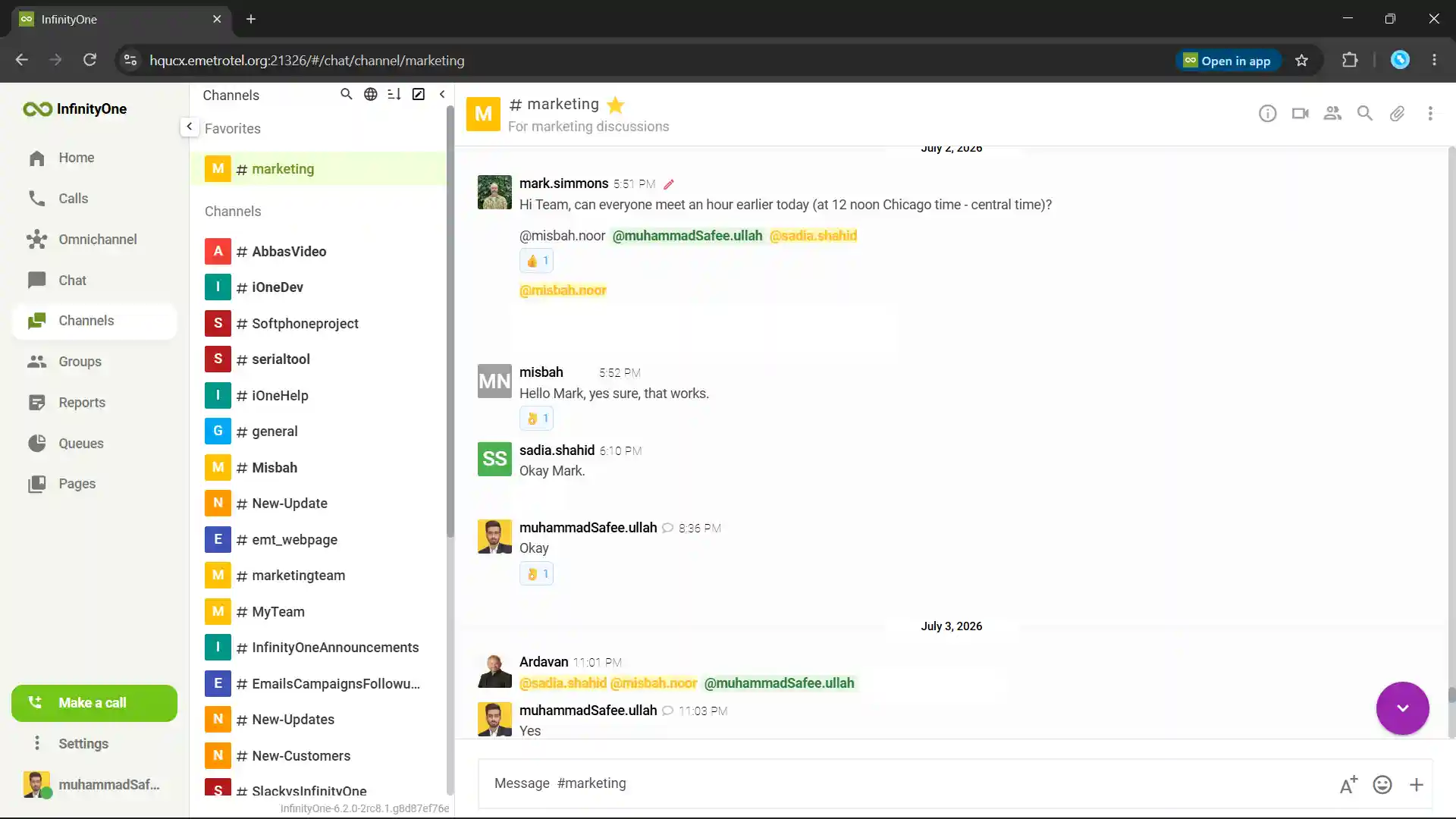
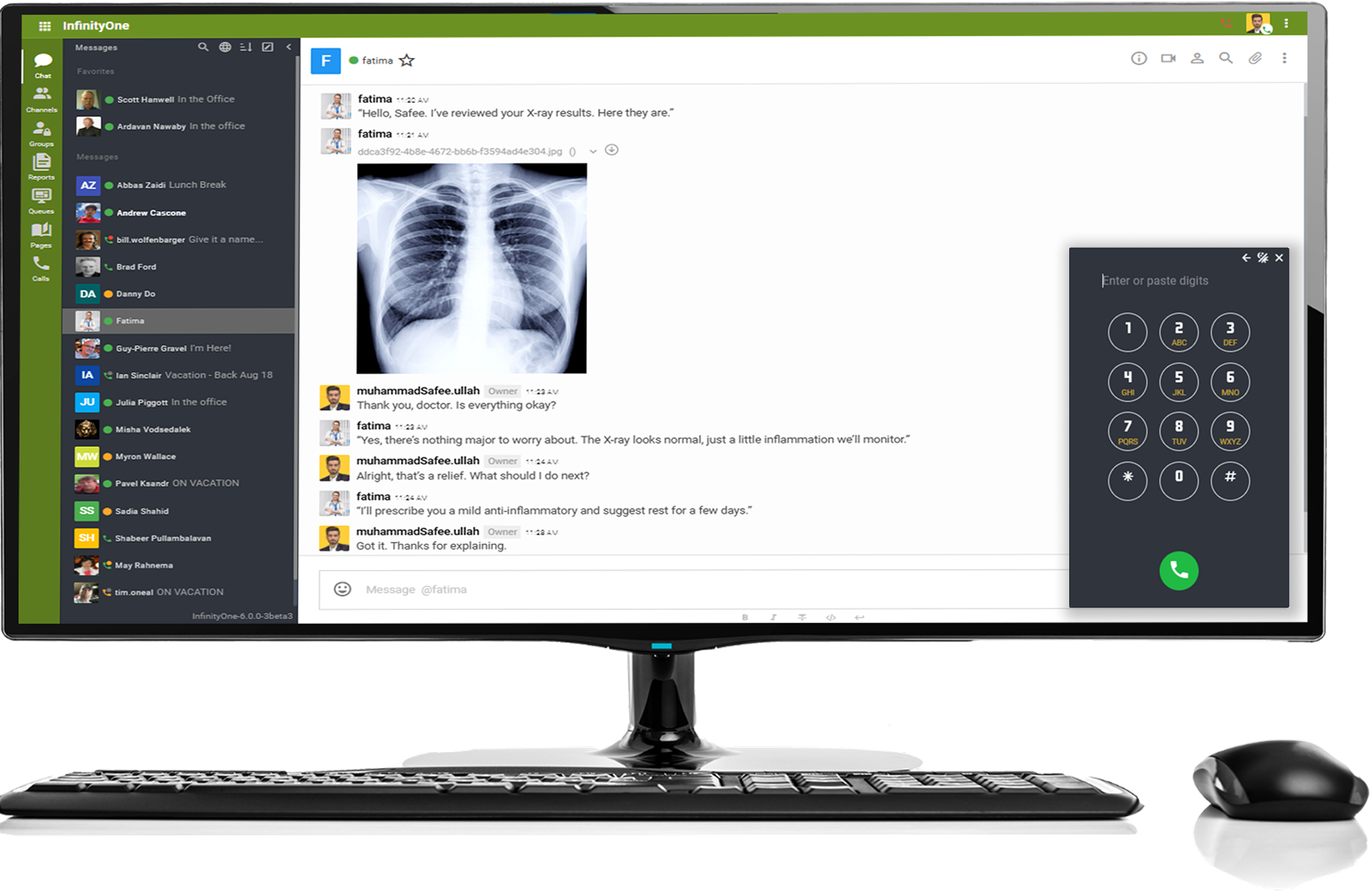
Infinity Web Client gives teams direct messaging, public channels and private groups for everyday communication. Keep project discussions, department updates, files and shared information together in one organized workspace.

  • One-to-One Messages
  • Group Conversations
  • Public Channels
  • Private Groups
  • Files, Images & video Sharing
  • Edit & Delete Sent Messages
  • Message History
  • Start Call From Chat

Groups work like channels but remain private to their approved members.

Video Meetings and Screen Sharing

Meet and Work Together From Anywhere

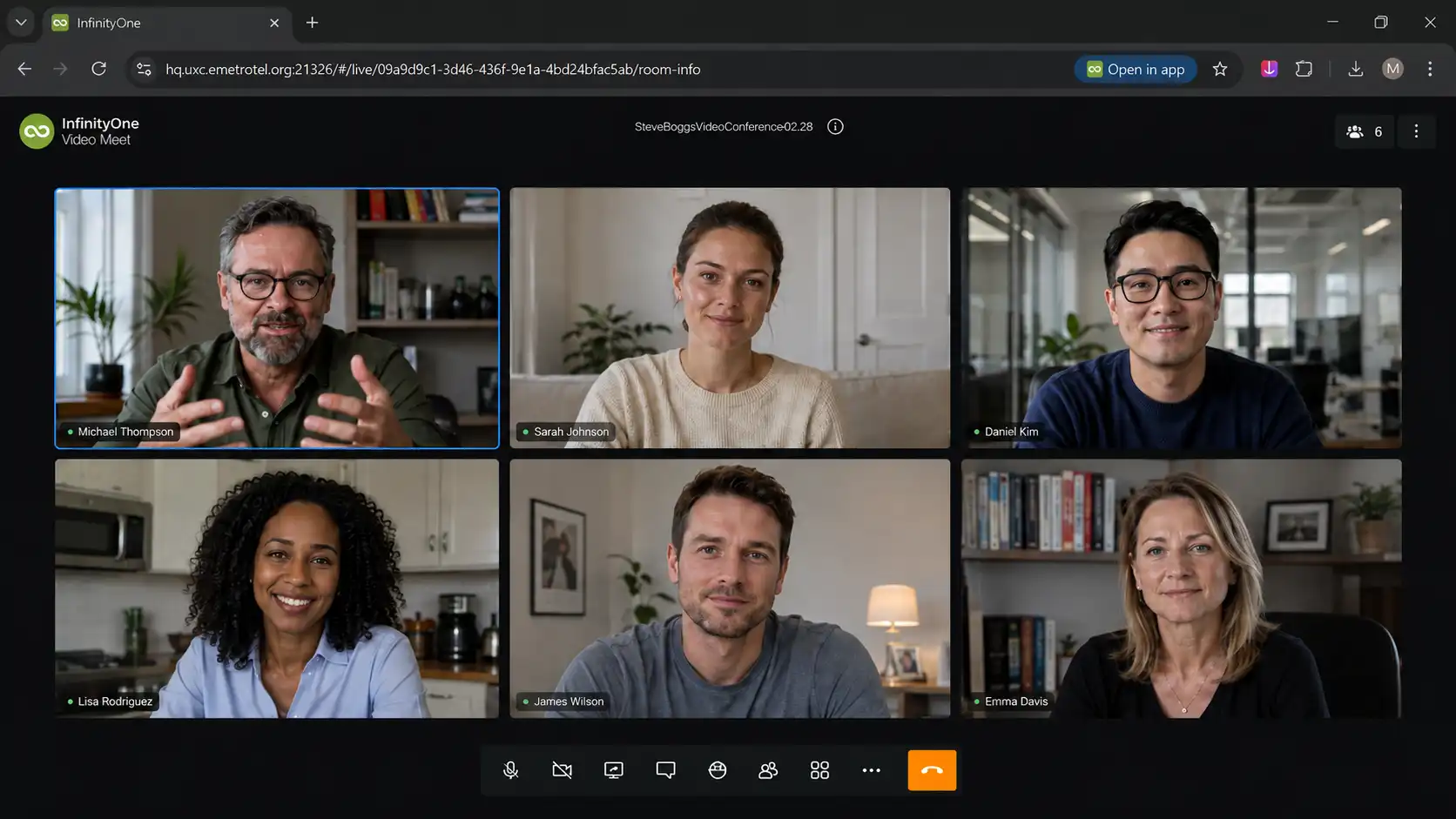
Users can start video meetings directly from Infinity Web Client for private conversations, team collaboration or customer discussions. Participants can join through a meeting link and use familiar controls throughout the meeting.

  • One-to-One Video Calls
  • Group Video Meetings
  • External Guest Access
  • Screen Sharing
  • Meeting Chat
  • Raise Hand Feature
  • Camera and Microphone Controls
  • Virtual Backgrounds

Infinity Web Client uses browser-based, plugin-free video communication.
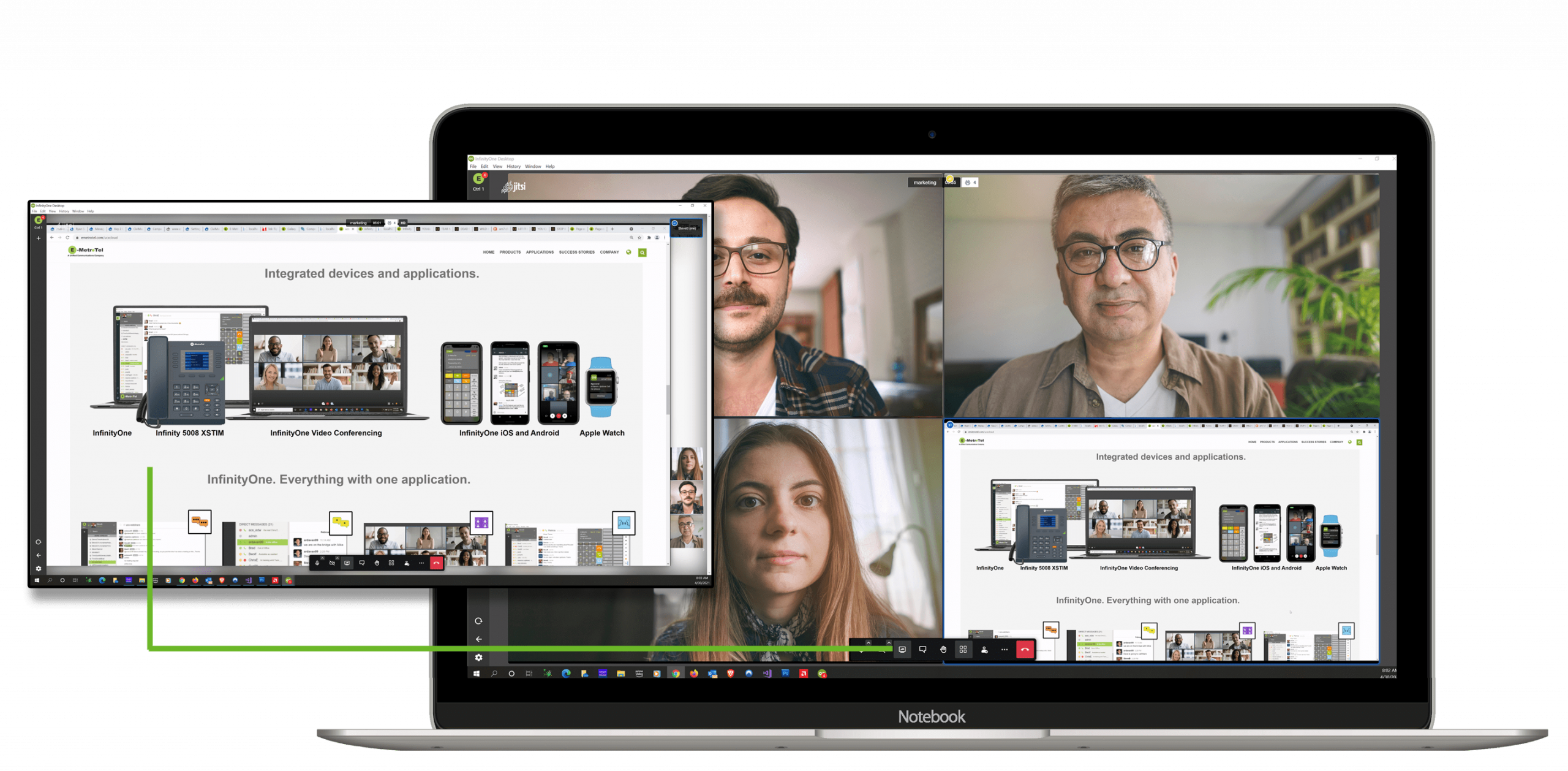
Infinity Web Client video meetings and screen sharing
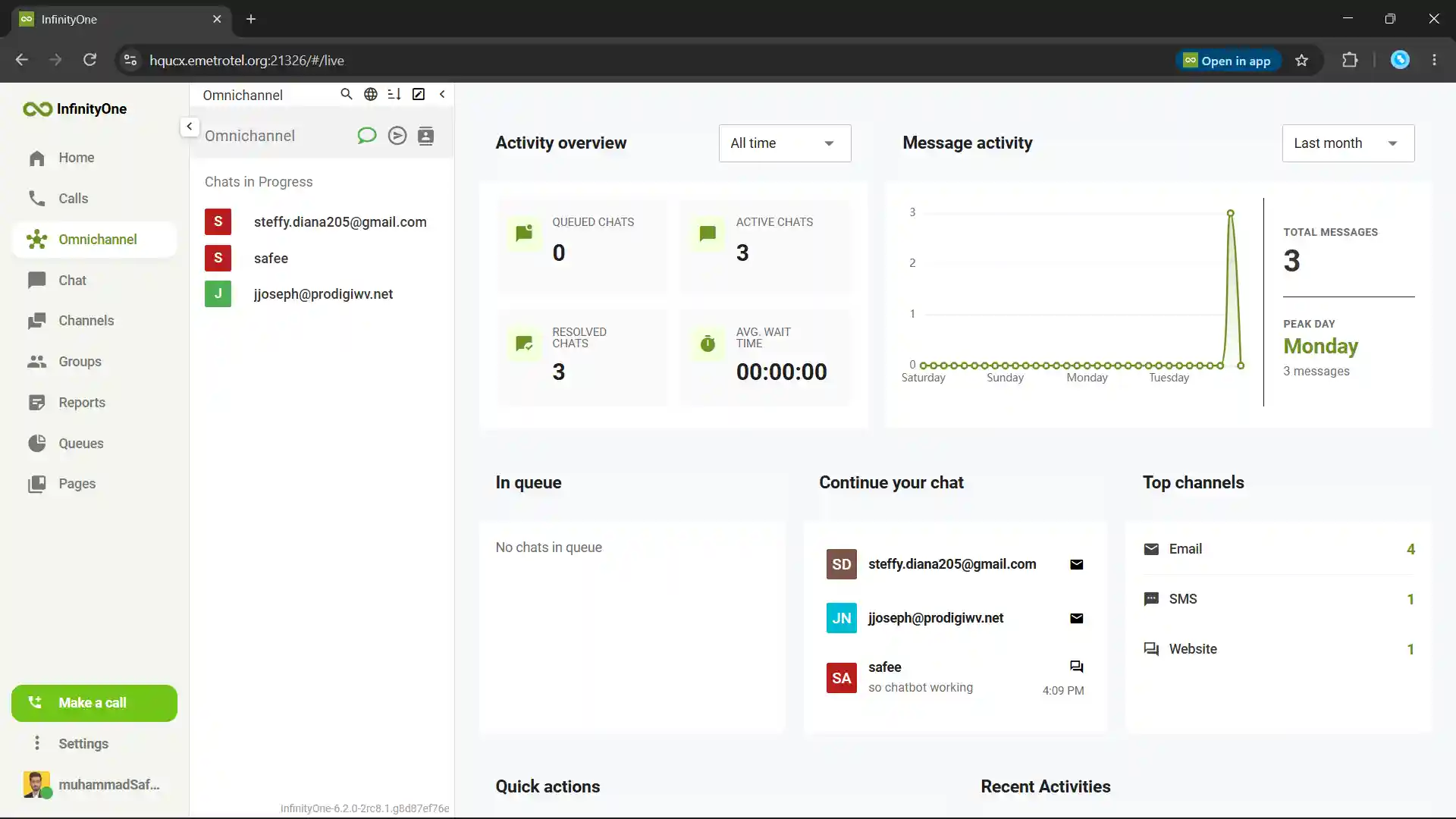
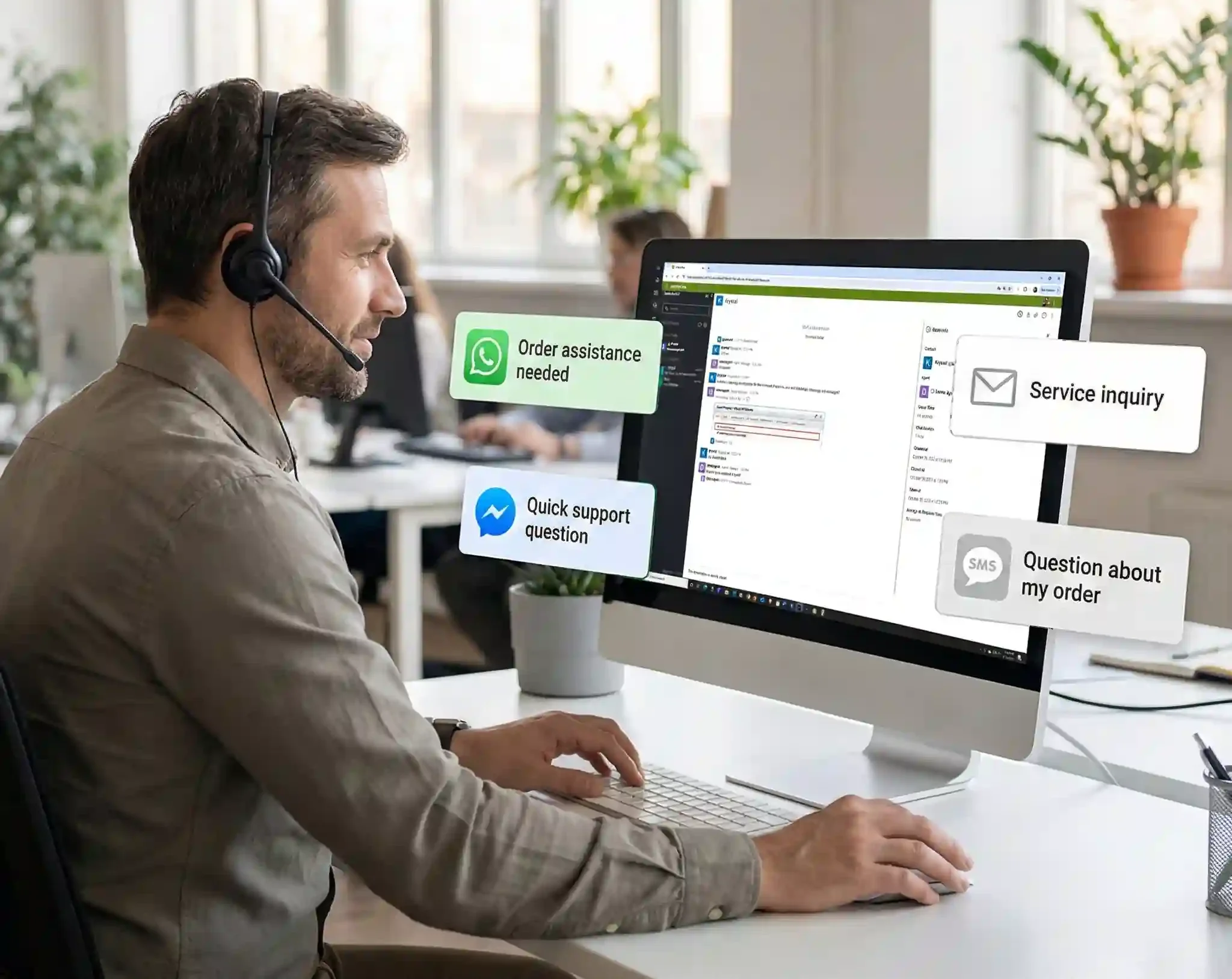
E-MetroTel omnichannel contact center for voice, email, SMS, website chat and social messaging

Customer Engagement

One Omnichannel Contact Center for Every Customer

Infinity Web Client brings voice and digital customer conversations into one workspace. Service, sales and support teams can manage incoming customer interactions without switching between separate platforms.

  • Voice Calls
  • Emails
  • SMS
  • Website Chats
  • WhatsApp Messages
  • Facebook Messenger
  • Department Routing
  • Customer History
  • Queue Visibility
  • Live Reports
  • Wallboard

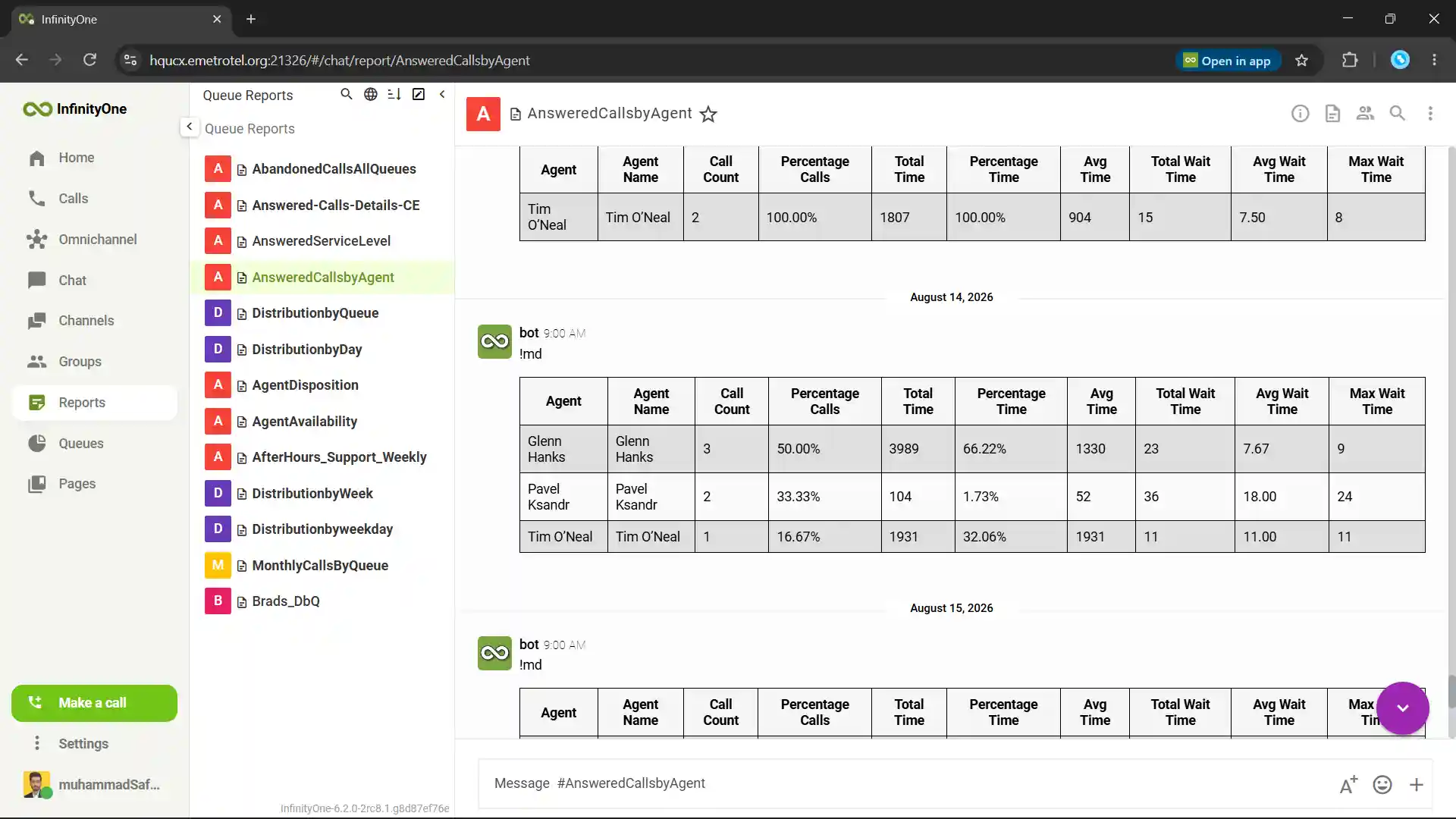
Supervisors can monitor agents, queues, wait times and performance through real-time and historical reporting.

Contact Center

Secure Communication

Keep Communication Private and Under Control

Infinity Web Client helps protect business calls, user access and communication data across one secure workspace.

Encrypted Voice

Voice encryption helps protect business calls from unauthorized access while keeping conversations private across the communication network.

Role-Based Access

Administrators can assign roles and permissions to control access to users, channels, groups, shared information and contact center tools and for many other features.

Employee Data Retention

Employee Communication data and history remain available to authorized administrators after an employee leaves because business data stays on the organization’s server.

XSTIM Telephony

It is E-MetroTel’s proprietary technology. Unlike standardized SIP, its internal design is not publicly available, helping reduce exposure to common protocol-level attacks.

Microsoft Teams Integration

Use E-MetroTel Calling Inside Microsoft Teams

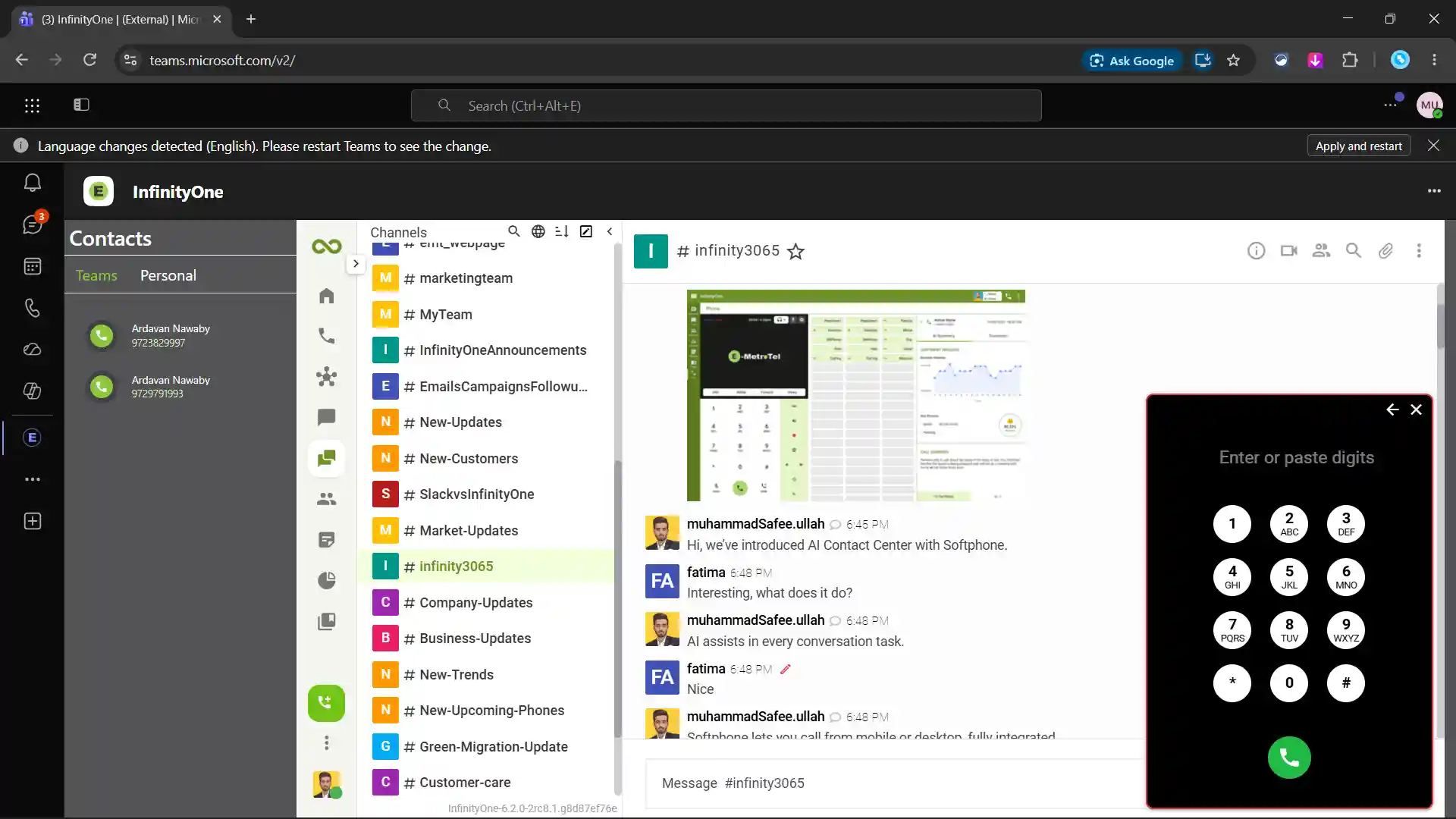
Many businesses use Microsoft Teams but still need a complete business phone system. E-MetroTel brings telephony into Teams, so users can keep working in the same familiar environment.

  • Make and Receive Calls in Teams
  • Same Business Extension
  • Familiar Teams Workflow
  • Less App Switching
  • Contact Center

Give Microsoft Teams the business calling features it needs without changing how your team works.

Teams Integration
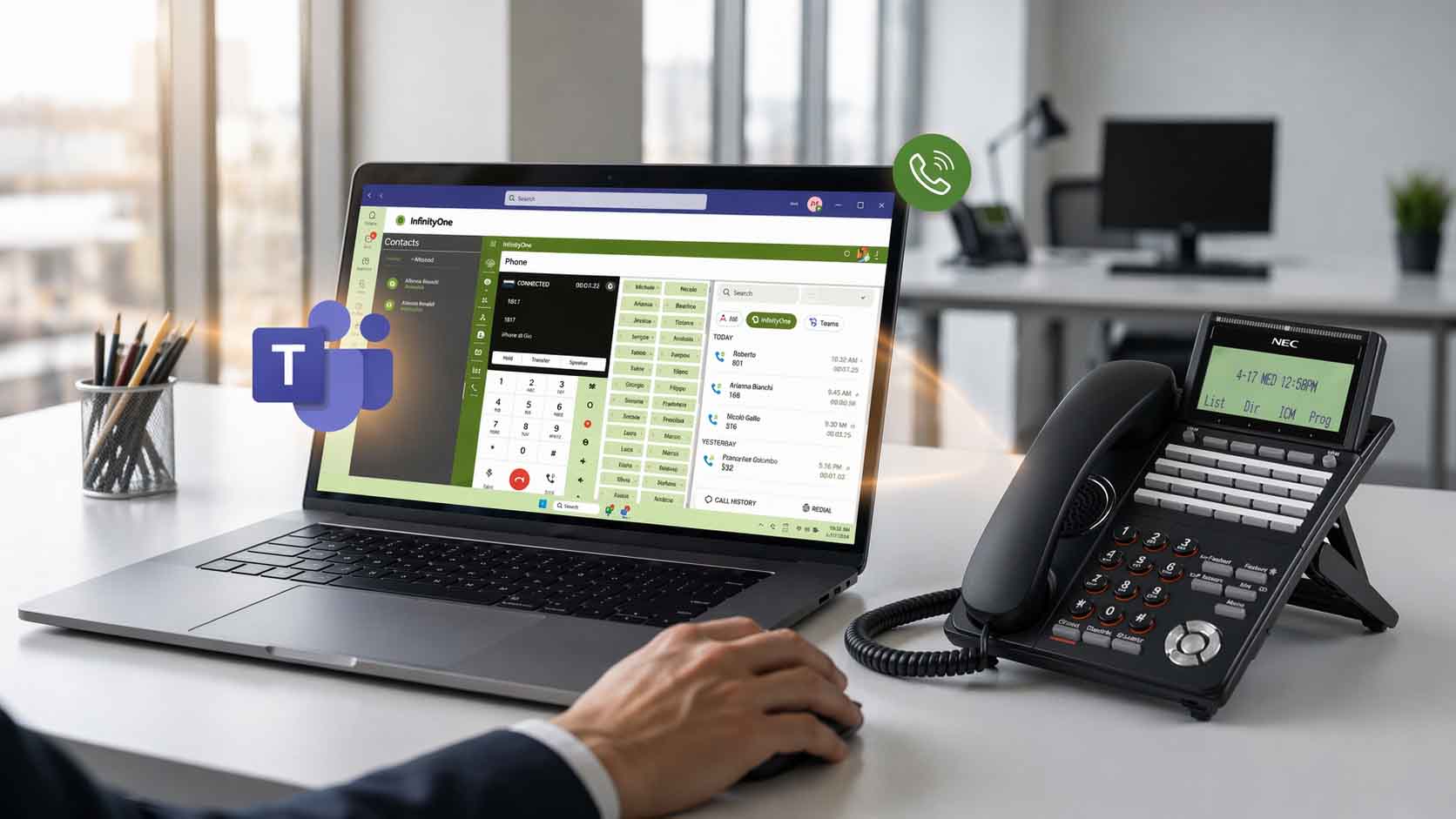
E-MetroTel Microsoft Teams integration with business calling
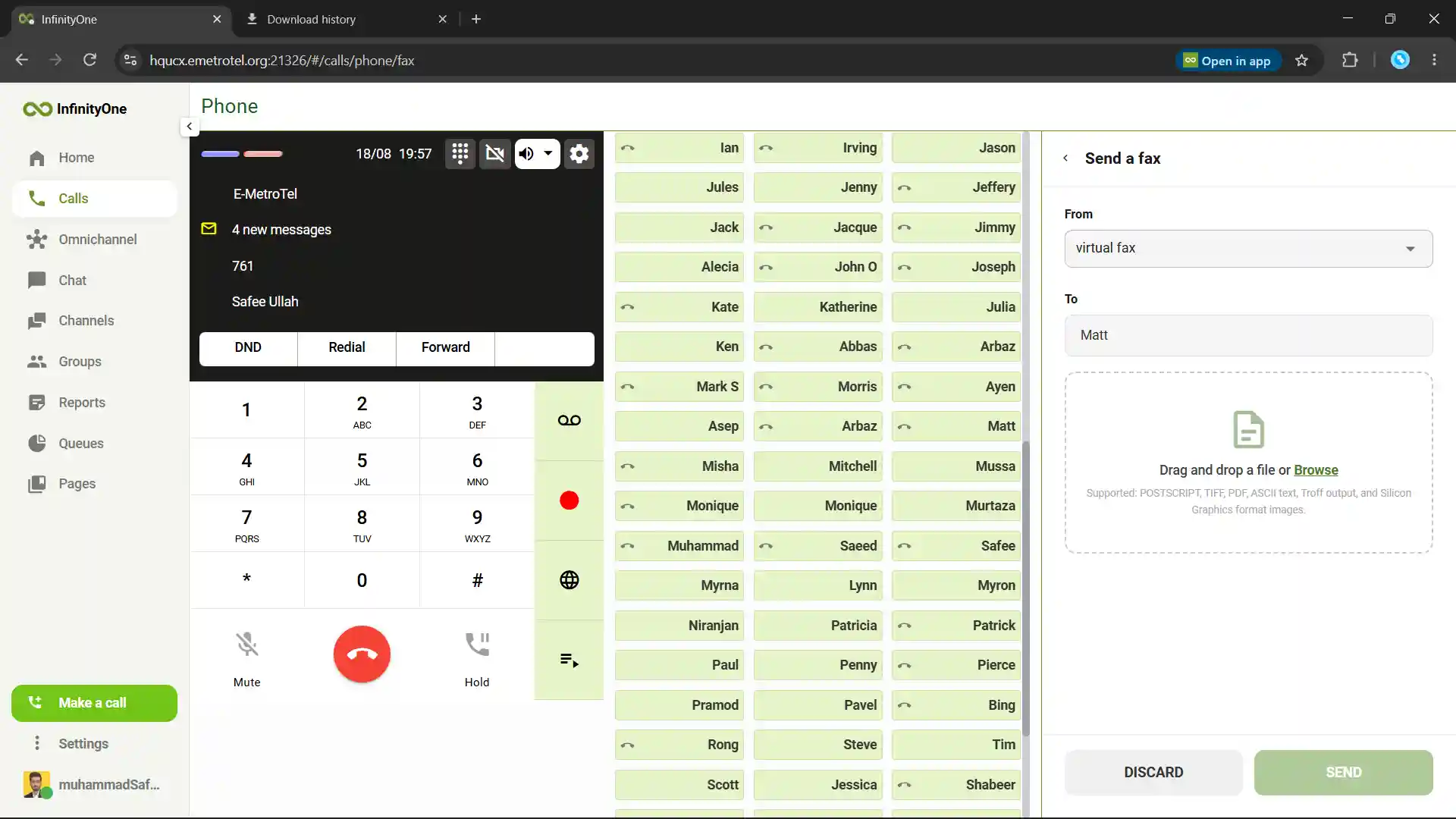
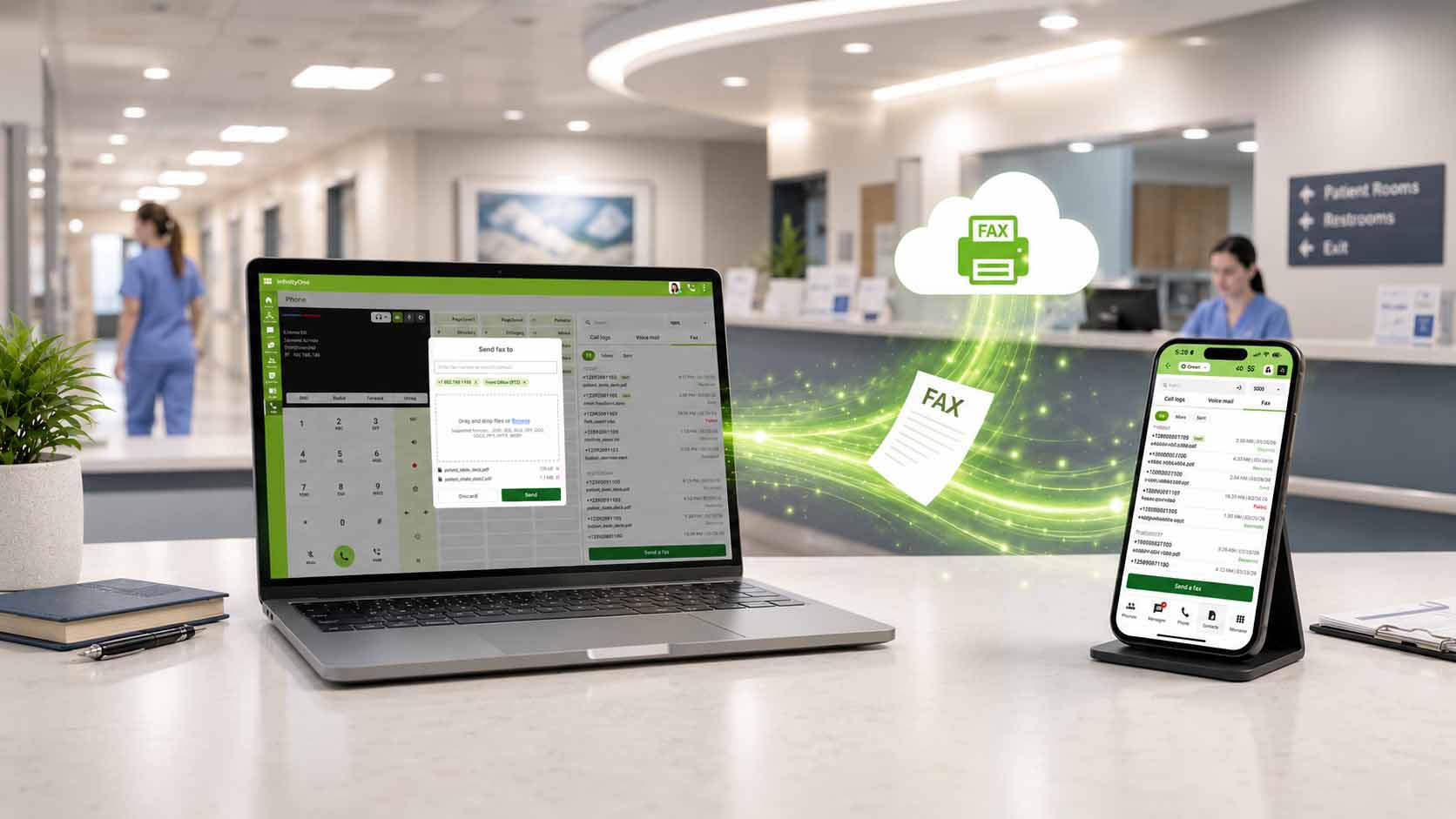
E-MetroTel eFax sending from a desktop computer and laptop

eFax

Send and Receive eFaxes Without a Fax Machine

Infinity Web Client gives teams access to E-MetroTel eFax from the same workspace used for calls and messaging. Send documents digitally and receive incoming eFaxes.

  • Send and Receive eFaxes as PDFs
  • No Printing or Scanning
  • Organized eFax Records
  • Secure Document Workflows
  • No Separate Phone Line

Keep eFax communication connected with the rest of your business tools.

eFax

AI Call Analysis

Smarter Calls Analysis With Built-In AI

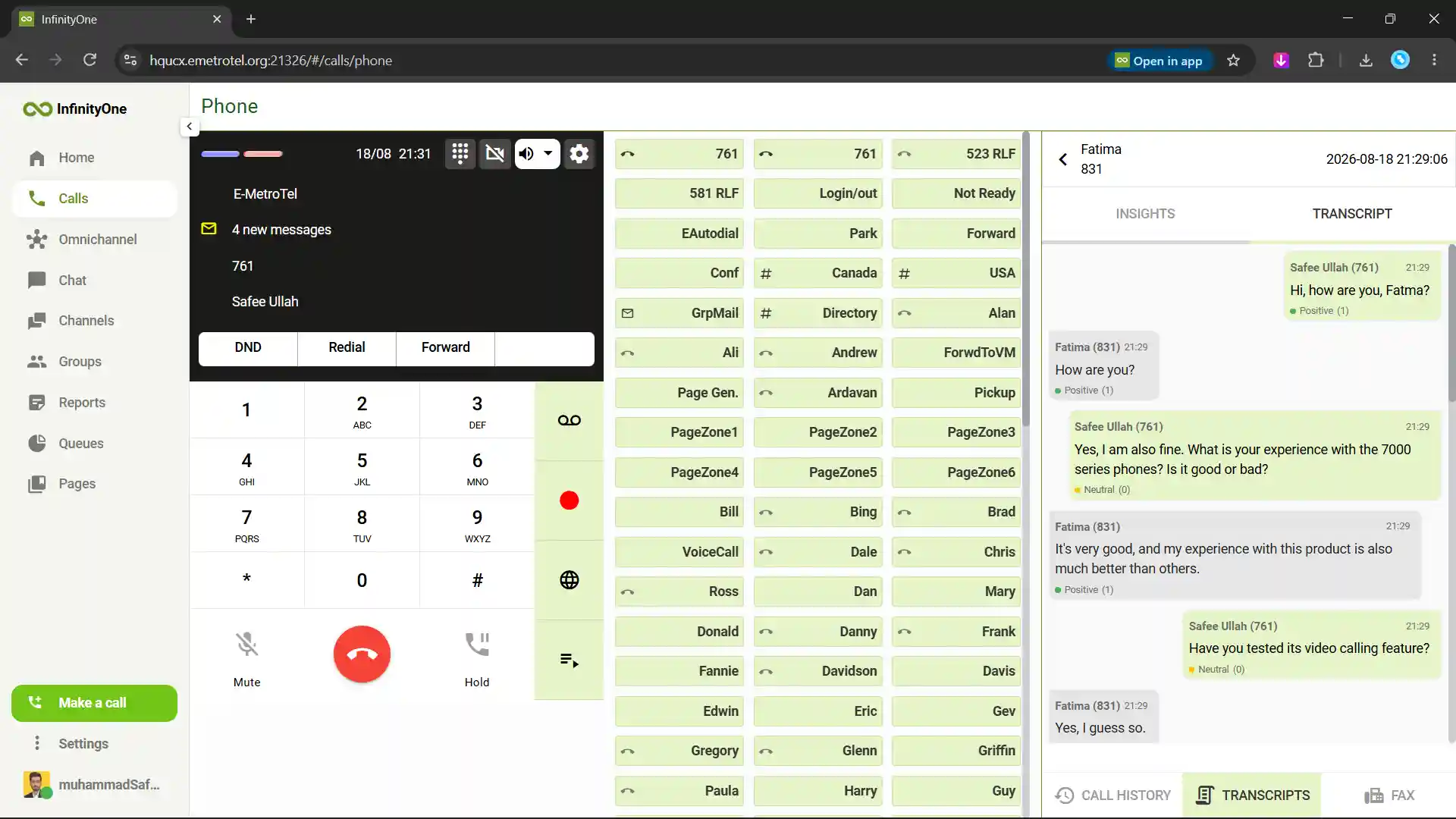
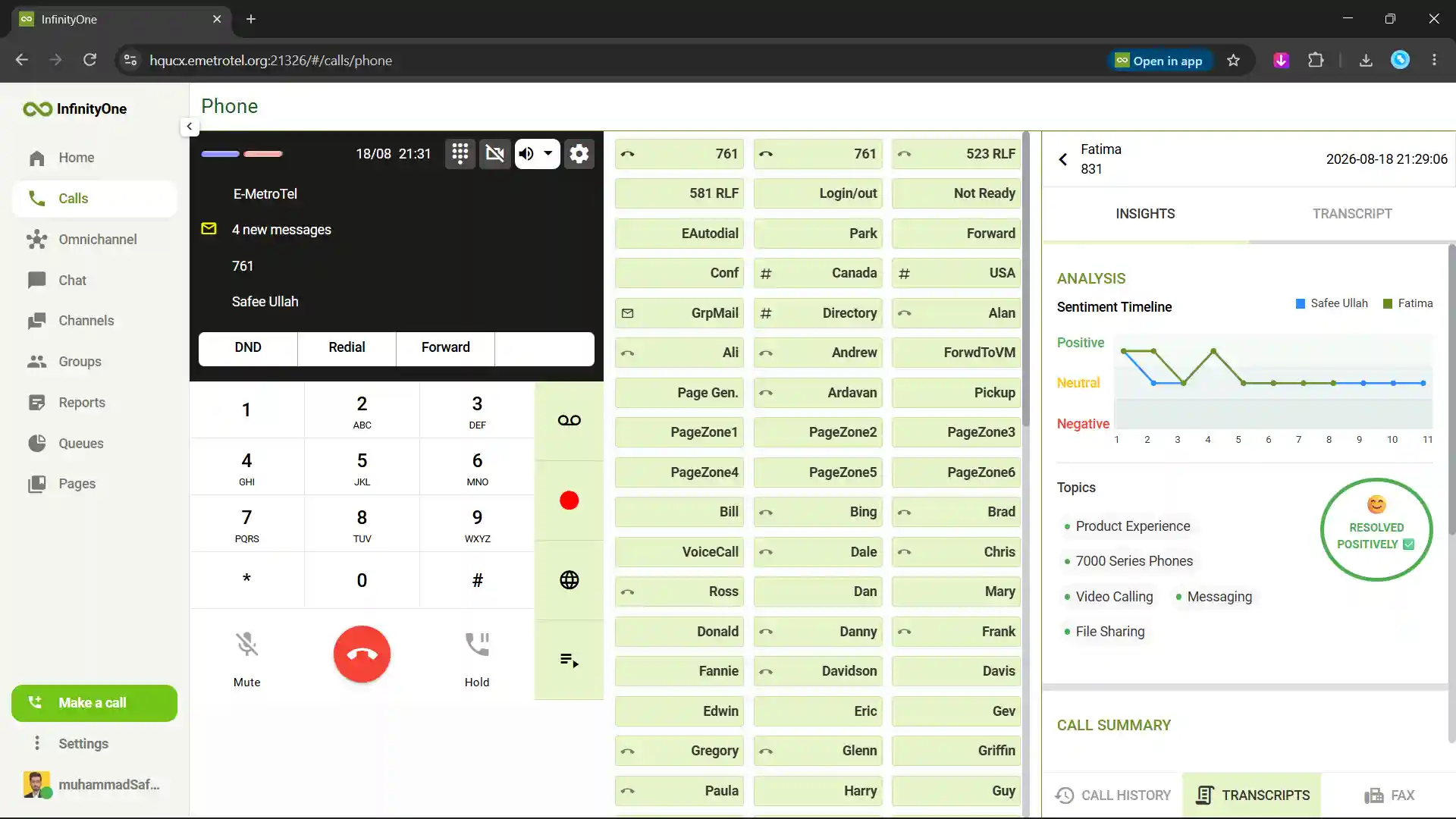
E-MetroTel AI Call Assist analyzes business conversations after each call. Users can review transcripts, summaries and sentiment without replaying the complete recording.

  • Call Transcripts
  • Automatic Call Summaries
  • Sentiment Analysis
  • Important Discussion Points
  • Better Customer Follow-Ups

Turn every business call into useful insights for sales, service and support teams.

AI Call Analysis
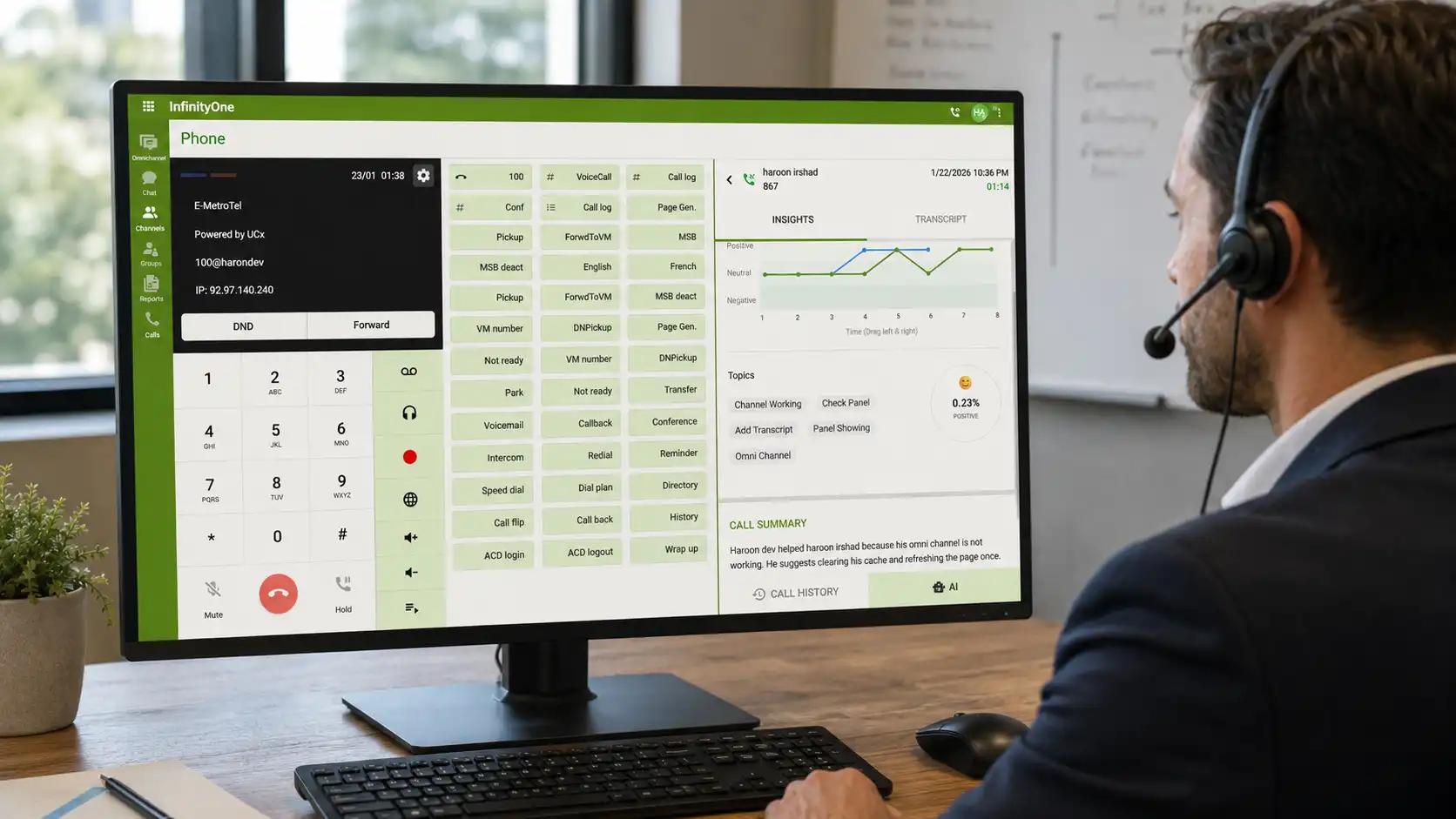
E-MetroTel AI Call Analysis for business communication

Industries

Built for Every Kind of Business

E-MetroTel supports organizations across different industries with secure calling, collaboration and customer communication tools.

Healthcare

Secure communication for care teams and patient services.

Education

Connect campuses, staff, classrooms and emergency teams.

Government

Controlled communication for public sector organizations.

Hospitality

Support guest services, front desks and mobile staff.

Retail

Connect stores, employees and customer service teams.

Manufacturing

Link offices, factories, warehouses and production teams.

Financial Services

Reliable communication for banks and financial teams.

Legal Services

Keep client communication private and organized.

Transportation

Coordinate dispatch, drivers and customer updates.

Utilities

Dependable communication for essential field services.

Contact Centers

Manage agents, queues and customer conversations.

Professional Services

Flexible communication for consultants and business teams.

Real Estate

Connect agents, offices, property teams and clients.

Nonprofits

Connect staff, volunteers, donors and communities.

Enterprise

Scale communication across locations and departments.

Softphone Comparison

Infinity Web Client More Than a Softphone. One Complete Workspace.

Compare infinity web client with some important market communication Softphones.

Feature Infinity Web Client Avaya Workplace Mitel MiCollab Cisco Jabber
Business Calling Yes Yes Yes Yes
Team Messaging and Video Built In Yes Yes Yes
AI Call Analysis Built In Not Built In Not Built In Not Built In
Call Transcripts and Summaries Built In Separate AI Product Separate CX Product Not Built In
eFax Built In Separate Solution Separate Solution Not Built In
Omnichannel Contact Center Built In Separate Product Separate CX Product Separate Product
Queues, Reports and Wallboard Available Contact Center Required Contact Center Required Contact Center Required
Microsoft Teams Calling Integrated Integration Required Integration Required Configuration Required
Employee and Customer Communication One Workspace Separate Products Separate Products Separate Products

Comparison focuses on capabilities available inside the named client. Some competitor features may be available through separate products, licenses or integrations.

Infinity Web Client FAQ

Frequently Asked Questions

Simple answers about browser access, business calling, teamwork and user control.

Does Infinity Web Client require software installation?

No. Infinity Web Client works inside a supported web browser. Users can sign in and access their available communication tools without installing a desktop softphone.

Can employees use it from any computer?

Yes. Employees can use Infinity Web Client from supported computers with browser access. It is useful for hybrid workers, hot desks and shared workstations.

Can users make and receive business calls from the browser?

Yes. Users can make and receive internal and external calls from the browser. They can also use call controls such as hold, mute and transfer.

Does Infinity Web Client support team communication?

Yes. Teams can use direct messaging, public channels, private groups and file sharing. This keeps conversations and documents together in one workspace.

Can users join video meetings from the web client?

Yes. Users can join one-to-one and group video meetings from the browser. Available tools can include screen sharing, meeting chat and microphone and camera controls.

Can administrators control which features each user receives?

Yes. Administrators can assign access based on each employee’s role and available services. Users can receive calling, messaging, eFax, queues, reports or contact center tools as needed.